Updating Tack GPS Firmware
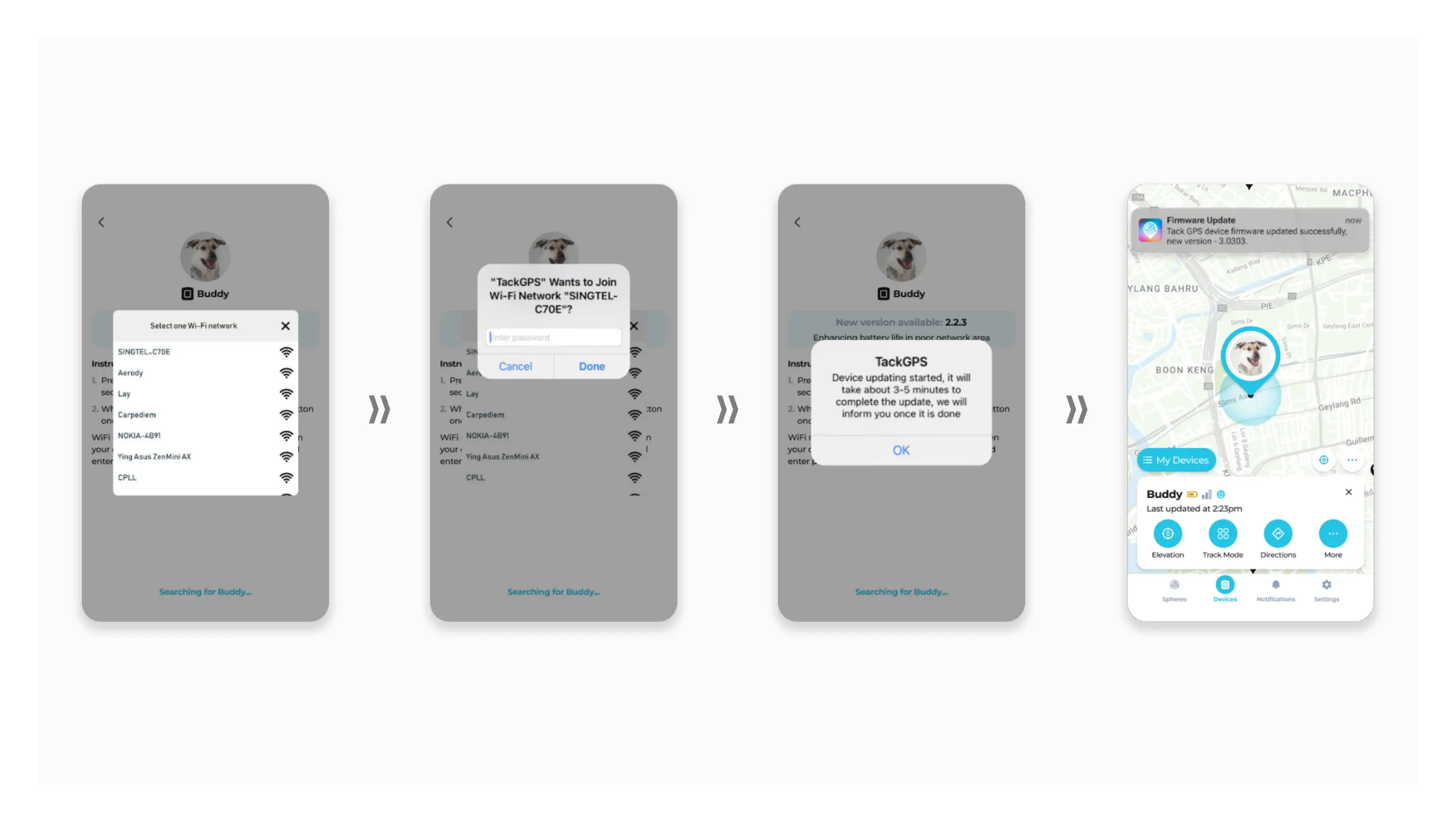
5. When device is found, a list of
WiFi networks will be displayed
automatically.
6. Select your WiFi network
and key in your password.
7. When done correctly,
firmware update will
start accordingly.
8. Receive a notification when
device firmware is updated
successfully.



 To Next Page