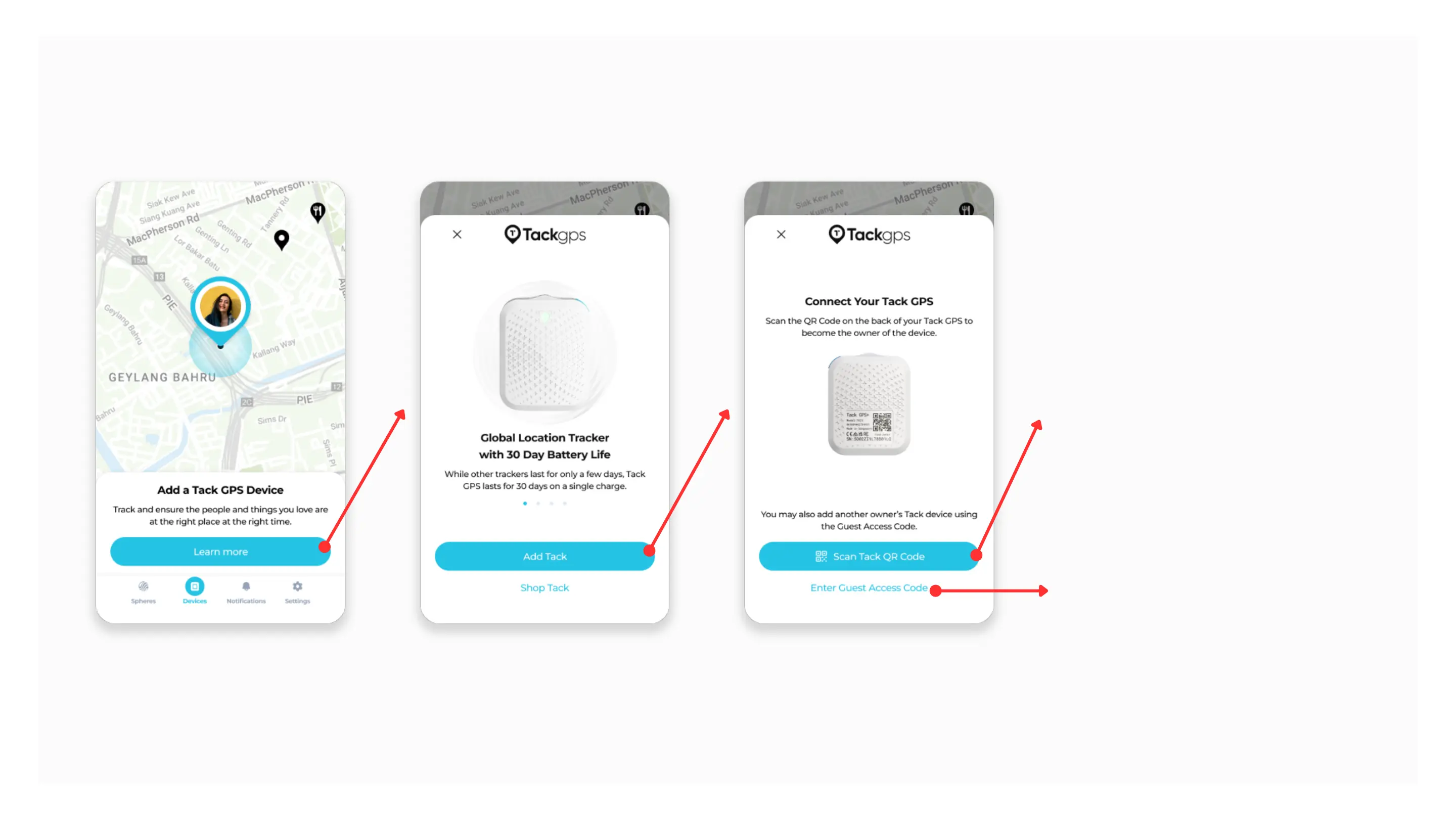
Navigate to the “Devices” tab via the bottom navigation bar.
Tap “Learn More”, then “Add Tack”
Adding a Tack GPS Device
To add new or
unpaired/deactivated devices,
tap “Scan Tack QR Code”
To add devices that have already
been linked to another Owner,
tap “Enter Guest Access Code”



 To Next Page