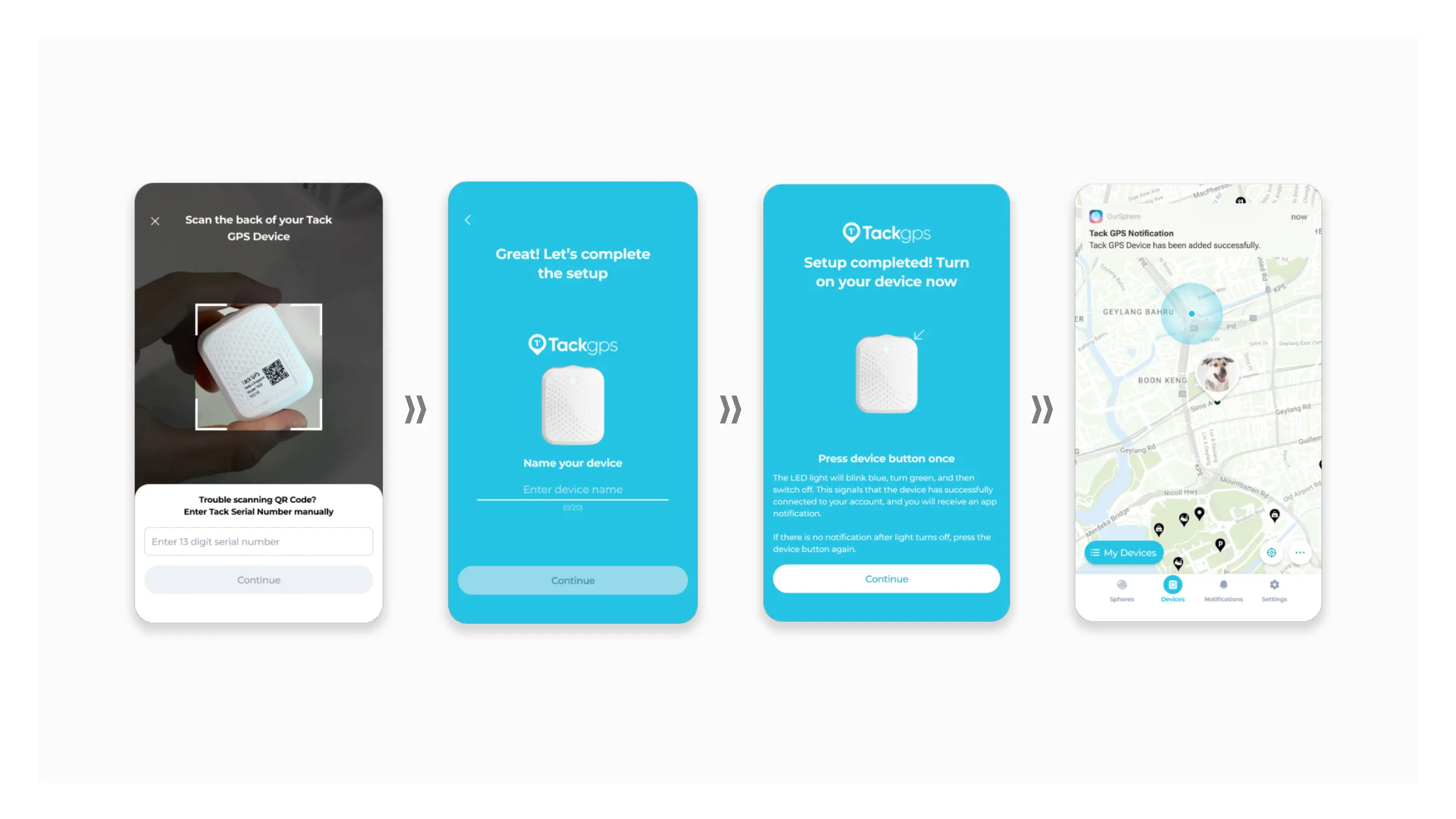
1. Scan QR Code, or key in 13
character serial number.
2. Enter device’s nickname
and choose your avatar.
3. Follow in-app instructions
and press device button once.
4. Receive a notification when
device is successfully added.
Adding New Devices via QR Code



 To Next Page