EasyManua.ls Logo

Taco 265-1 - User Manual

Taco 265-1
4 pages
Print Icon
To Next Page IconTo Next Page
Loading...
Application:
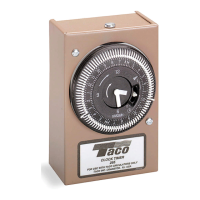
The Taco Clock Timer/Temperature Aquastat combination is
designed to cycle the circulator during peak demand peri-
ods. The Analog Timer (No. 265-1) is adjustable to 15 minute
intervals within a 24 hour time frame. The Digital Timer
(No. 265-3) can be programmed for 7 day operation. The
Temperature Aquastat (No. 563-2) automatically switches
the circulator ON at 95ºF and OFF at 115ºF. The two can
be used in combination, or they can be used separately.
When the Clock Timer/Temperature Aquastat are used
together, the Timer switches ON sending power to the unit.
The Temperature Aquastat measures the temperature, and
cycles the circulator as long as the Timer is switched to the
ON mode.
If used separately, the Clock Timer operates the circulator
during the chosen number of ON/OFF intervals. When using
only the Temperature Aquastat, the circulator cycles inter-
mittently to maintain a temperature between 95ºF and 115ºF.
The Clock Timer and Temperature Aquastat are easy to
retrofit to any “00” Series Circulator. The user-friendly 24
hour analog clock has an hour hand, raised minute hand
for ease of adjustment, two directional arrows, and AM/PM
time settings. Our easy to program digital timer provides
maximum convenience, comfort and energy savings. The
Clock Timer can be mounted in any direction by just
attaching it to the capacitor box electrical connection hole.
Installation: FOLLOW ALL INSTRUCTIONS IN THE
SEQUENCE THAT THEY APPEAR.
Analog Timer Installation Instructions:
1. Disconnect the electrical supply. Remove circulator
terminal box screw and cover.
2. Loosen Timer box cover screw and remove cover.
3. Assemble the back portion of the Timer to the “00” ter-
minal box as shown in the Timer installation diagram
(006 circulator pictured). Make sure that the protruding
tang on the back of the Timer box fits under the circu-
lator’s terminal box base. Adjust until the two terminal
box openings are aligned.
4. Secure the locknuts. Feed the yellow and white circu-
lator lead wires into the Timer through the bushing.
Reassemble circulator terminal box cover and secure
with the screw.
5. See electrical hook-up for Timer wiring.
Aquastat Installation Instructions:
1. Disconnect the electrical supply. Securely fasten the
Aquastat clip to
3
4
" pipe or to the circulator casing for
1
2
" pipe applications. The Aquastat must be properly
fastened to insure a good reading.
2. See electrical hook-up for Aquastat wiring.
Electrical Hook-Up:
1. All electrical work must be performed by an electrician
in accordance with the latest edition of the National
Electrical Codes and Local Codes and Regulations.
2. Verify that the voltage, phase and frequency are correct
for the Circulator, Timer and Aquastat prior to connection.
3. Follow the appropriate wiring diagram
Analog 24 Hour Timer Programming:
1. Set clock to the exact time of day by turning the outer
black ring clockwise to move the hour/minute hands to
the correct position. Pay special attention to the white
arrow pointing to the correct AM/PM time in the 24
hour outer ring.
2. Set the desired ON/OFF times by pushing the trippers
away from the clock face for ON operation. Leave the
trippers toward the clock face for OFF operation. Each
tripper represents a 15 minute interval.
3. Set switch in the middle position for
automatic operation.
Analog Timer Manual Switch Settings:
1. Up = On, Constant Circulation I
2. Middle = Automatic operation
3. Down = Off O
Instruction Sheet
Timer and Aquastat
102-067A
SUPERSEDES: May 1, 2010 EFFECTIVE: October 1, 2010
Plant ID# 001-3969
Analog Timer Clock Face
TIME
ARROW
MANUAL
SWITCH
IN AUTO
POSITION
PROGRAM
TRIPPERS
NOTE: To run Digital Timer in Manual ON (I) mode,
press the (R) Reset key first.
A Taco resource – saving product
http://waterheatertimer.org/Water-heater-recirculation-system.html
Question and Answer IconNeed help?

Do you have a question about the Taco 265-1 and is the answer not in the manual?

Summary

Timer and Aquastat Installation Guide

Application Details

Explains the purpose and use of the Taco Clock Timer/Temperature Aquastat combination for circulator control.

Installation Instructions

Provides step-by-step guidance for installing the timer and aquastat components.

Analog Timer Installation

Specific instructions for mounting and connecting the analog timer to the circulator.

Aquastat Installation

Instructions for securely attaching the aquastat to the pipe or casing for temperature sensing.

Electrical Hook-Up Procedures

Details on safe and compliant electrical connections for the system components.

Analog Timer Programming

Guidance on setting the time and ON/OFF intervals for the analog timer.

Analog 24 Hour Timer Programming

Step-by-step guide to set the current time and program ON/OFF periods.

Analog Timer Manual Switch Settings

Explanation of the manual switch positions for constant circulation, automatic, or off.

Digital Timer Features and Programming

Digital 7 Day Programmable Timer Overview

Description of the digital timer's LCD display, programming keys, and battery backup.

Setting Current Time on Digital Timer

Procedure to set the correct current time and day on the digital timer.

Programming Digital Timer ON;OFF Settings

Instructions for setting ON and OFF times for up to 16 programs on the digital timer.

Product Warranty Information

Limited Warranty Statement

Details Taco's 3-year limited warranty for 00 Series circulators and parts.

Summary

Timer and Aquastat Installation Guide

Application Details

Explains the purpose and use of the Taco Clock Timer/Temperature Aquastat combination for circulator control.

Installation Instructions

Provides step-by-step guidance for installing the timer and aquastat components.

Analog Timer Installation

Specific instructions for mounting and connecting the analog timer to the circulator.

Aquastat Installation

Instructions for securely attaching the aquastat to the pipe or casing for temperature sensing.

Electrical Hook-Up Procedures

Details on safe and compliant electrical connections for the system components.

Analog Timer Programming

Guidance on setting the time and ON/OFF intervals for the analog timer.

Analog 24 Hour Timer Programming

Step-by-step guide to set the current time and program ON/OFF periods.

Analog Timer Manual Switch Settings

Explanation of the manual switch positions for constant circulation, automatic, or off.

Digital Timer Features and Programming

Digital 7 Day Programmable Timer Overview

Description of the digital timer's LCD display, programming keys, and battery backup.

Setting Current Time on Digital Timer

Procedure to set the correct current time and day on the digital timer.

Programming Digital Timer ON;OFF Settings

Instructions for setting ON and OFF times for up to 16 programs on the digital timer.

Product Warranty Information

Limited Warranty Statement

Details Taco's 3-year limited warranty for 00 Series circulators and parts.

Overview

The Taco Clock Timer/Temperature Aquastat is a versatile device designed to optimize the operation of a circulator, primarily for hot water recirculation systems. This system aims to provide hot water on demand, reducing wait times and potentially saving energy by cycling the circulator during peak demand periods. The device offers two main components: a Clock Timer and a Temperature Aquastat, which can be used independently or in combination to achieve desired operational control.

Function Description

The core function of the Taco system is to control a circulator pump, which moves water through a plumbing system. By regulating when the circulator runs, the system ensures that hot water is readily available at fixtures during specific times or when the water temperature drops below a set point. This prevents the need to run cold water down the drain while waiting for hot water to arrive, enhancing user comfort and efficiency.

When the Clock Timer and Temperature Aquastat are used together, the Timer acts as the primary switch, sending power to the unit during its programmed ON periods. During these ON periods, the Temperature Aquastat then takes over, monitoring the water temperature and cycling the circulator ON when the temperature falls below 95°F and OFF when it reaches 115°F. This combined operation ensures that hot water is maintained within a desired temperature range only during the times when it is most likely to be needed, offering a balance between convenience and energy conservation.

If only the Clock Timer is used, the circulator will operate solely based on the programmed ON/OFF intervals, regardless of the water temperature. This is suitable for users who have predictable hot water usage patterns and prefer a fixed schedule. Conversely, if only the Temperature Aquastat is used, the circulator will cycle intermittently to maintain water temperature between 95°F and 115°F continuously, providing constant hot water availability but potentially consuming more energy than a timed approach.

The system is designed for easy retrofit to any "00" Series Circulator, making it a convenient upgrade for existing installations.

Usage Features

The Taco system offers both analog and digital timer options, catering to different user preferences for programming and control.

Analog Timer (No. 265-1):

The analog timer features a user-friendly 24-hour clock face with an hour hand and a raised minute hand for easy adjustment. It includes two directional arrows and AM/PM time settings to guide users. Programming the analog timer involves:

  1. Setting the current time: Users turn the outer black ring clockwise to align the hour/minute hands with the correct time of day, paying attention to the white arrow indicating AM/PM.
  2. Setting ON/OFF times: This is achieved by pushing small trippers on the clock face. Pushing trippers away from the clock face sets an ON period, while leaving them toward the clock face sets an OFF period. Each tripper represents a 15-minute interval, allowing for granular control over the circulator's schedule.
  3. Manual Switch Settings: The analog timer includes a three-position manual switch:
    • Up (On): Provides constant circulation, bypassing the programmed schedule.
    • Middle (Automatic): Activates the programmed ON/OFF schedule.
    • Down (Off): Turns the circulator off completely.

Digital 7 Day Programmable Timer (No. 265-3):

The digital timer, referred to as the Plumb n' Plug (PNP) digital timer, offers more advanced programming capabilities with a large LCD display and user-friendly keys. It can be programmed for 7-day operation and supports up to 16 programs (8 ON settings and 8 corresponding OFF settings). An internal rechargeable battery maintains programmed settings for up to 4 days during power outages, and a full recharge takes 48 hours. While the digital timer includes some spike and electrical noise protection, it is recommended to power it from a voltage source without switching devices or inductive loads to ensure optimal performance.

Programming the digital timer involves:

  1. Setting the current time: This process involves moving a programming switch, pressing a reset key, and then using (+) or (-) keys to adjust the day, hour, and minute. The AM/PM symbol must be correctly set. Seconds are not typically used for this application.
  2. Programming ON/OFF settings: Users move the programming switch to the "P" position. The display will show "-01-" for the first ON setting. Using the program selection key, users can then set the desired ON time, including the specific day(s) of the week, hour, and minute. A flashing arrow below the numbers 1-7 indicates the day selection, and a light bulb symbol confirms an ON time setting. The process is repeated for subsequent ON and OFF settings (e.g., "-02-" for the first OFF setting). It is helpful to plan out the program schedules beforehand.
  3. Manual 3-way override switch: Similar to the analog timer, the digital timer has an On-Auto-Off switch for manual control.

Temperature Aquastat (No. 563-2):

The aquastat operates automatically, switching the circulator ON when the water temperature drops to 95°F and OFF when it rises to 115°F. This ensures that hot water is maintained within a comfortable range.

Installation Features

The installation process for both the analog timer and the aquastat is designed to be straightforward, emphasizing safety and proper connection.

Analog Timer Installation:

  1. Safety First: Disconnect the electrical supply to the circulator.
  2. Access Circulator: Remove the circulator terminal box screw and cover.
  3. Prepare Timer: Loosen the timer box cover screw and remove its cover.
  4. Assemble Timer: The back portion of the timer is assembled to the "00" series circulator's terminal box. It's crucial to ensure that a protruding tang on the back of the timer box fits under the circulator's terminal box base and that the two terminal box openings are aligned.
  5. Secure Connections: Secure the locknuts. Feed the yellow and white circulator lead wires into the timer through the bushing. Reassemble the circulator terminal box cover and secure it with the screw.
  6. Electrical Hook-up: Follow the provided wiring diagrams for proper electrical connection.

Aquastat Installation:

  1. Safety First: Disconnect the electrical supply.
  2. Secure Aquastat: Securely fasten the aquastat clip to a 3/4" pipe or to the circulator casing for 1/2" pipe applications. Proper fastening is essential to ensure an accurate temperature reading.
  3. Electrical Hook-up: Follow the provided wiring diagrams for proper electrical connection.

Electrical Hook-Up Guidelines:

  • All electrical work must comply with the National Electrical Codes and Local Codes and Regulations and should be performed by a qualified electrician.
  • Verify that the voltage, phase, and frequency are correct for the circulator, timer, and aquastat before making connections.
  • Always follow the appropriate wiring diagram for the specific configuration (Timer only, Aquastat only, or Timer and Aquastat combined).

Maintenance Features

The manual does not explicitly detail specific maintenance features for the Taco Clock Timer/Temperature Aquastat beyond proper installation and electrical safety. However, based on the nature of the device, general maintenance considerations would include:

  • Regular Inspection: Periodically inspect the wiring and connections for any signs of wear, damage, or loose connections.
  • Battery Check (Digital Timer): While the digital timer has an internal rechargeable battery for program retention during power outages, it's good practice to be aware of its capacity (up to 4 days) and allow for a full recharge (48 hours) after extended outages. If programs are frequently lost, it might indicate an issue with the battery or charging circuit.
  • Aquastat Placement: Ensure the aquastat remains securely fastened to the pipe or circulator casing to maintain accurate temperature readings. Any dislodgement could lead to incorrect operation.
  • Cleaning: Keep the external surfaces of the timer and aquastat clean and free from dust or debris, which could potentially affect performance or readability, especially for the digital display.
  • Troubleshooting: If the device is not operating as expected, refer to the programming instructions to ensure settings are correct. For the digital timer, a reset key is available to erase all programs, which can be a useful troubleshooting step if programming errors are suspected.

The Taco system is designed to be a reliable and efficient solution for hot water recirculation, offering flexibility in control through its analog and digital timer options and temperature-based aquastat. Its ease of installation and user-friendly programming contribute to its overall utility in enhancing home comfort and energy management.

Taco 265-1 Specifications

General IconGeneral
Contact TypeSPDT
TypeMechanical
Contacts1
MaterialPlastic
Frequency60 Hz

Related product manuals