Introduction
Quick
setup
TACT Millennium
is the
world's
first true-digital
power
amplifier where
digital audio data is
converted directly
into sound without
analog amplification
or conventional
low-level D/A conversion involved
at any
step.
The core technology
is based on
patented
EQUlBlTru
processing
and
output modules.
The TACT
Millennium
is
a modular design,
a
platform
for
state-of-the-art music reproduction. This
means that
you
can add functions or upgrade
the
pertormance
when
the
tech
nology
becomes available.
This manual will expand together with
your
Millennium.
lf
you
take
the time to
register
your
investment, we
guarantee
that
you
will
get
information about
future
u
pgrades
and
expansions.
Pure and simple design
The Millennium is very
easy to operate. Three buttons
and a
volume control are what
you
have at
your
disposal.
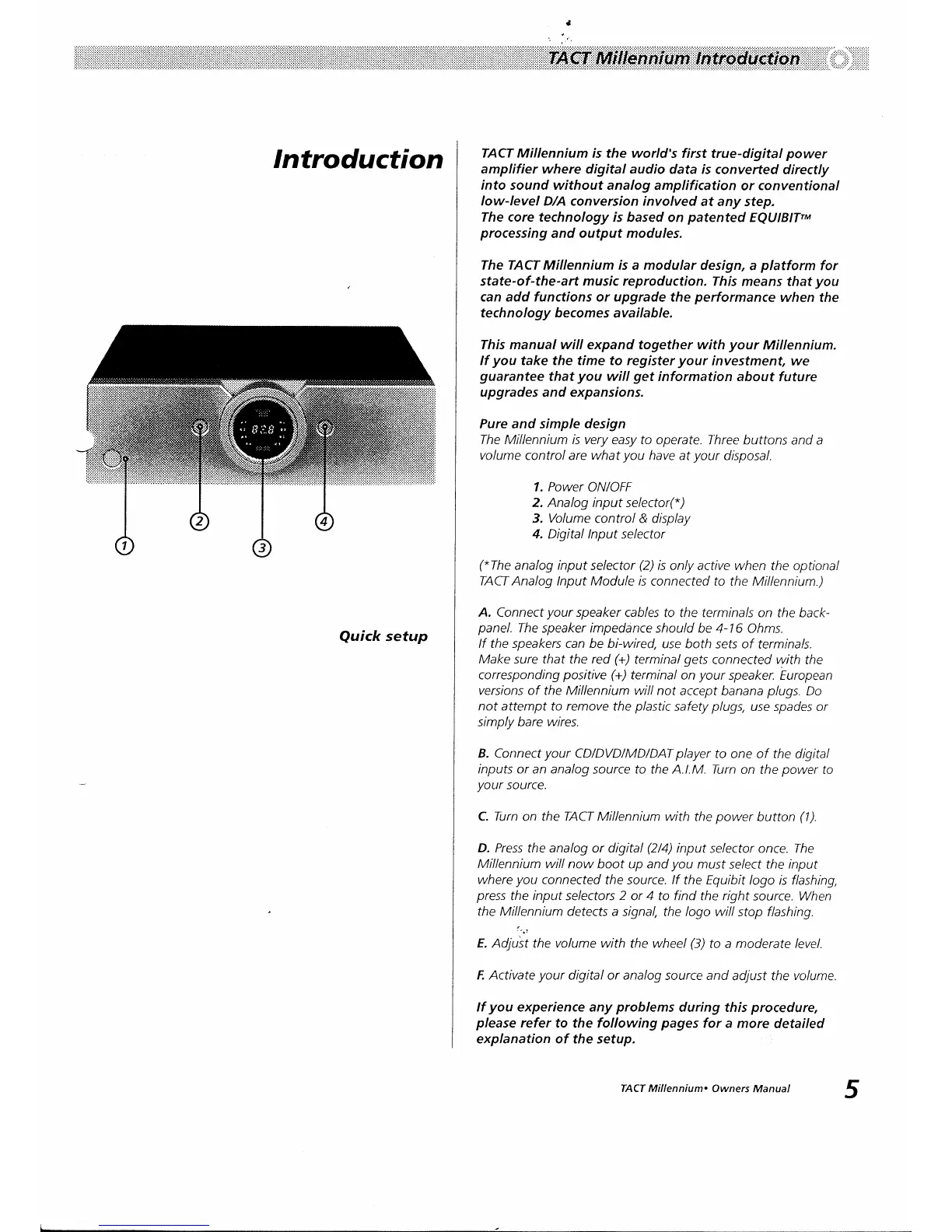
1. Power
ON|OFF
2. Analog input selector(*)
3. Volume
control & display
4. Digital lnput selector
("The
analog input
selector
(2)
is
only active when
the optional
TACT Analog lnput
Module
is
connected to the
Millennium.)
A. Connect
your
speaker cables to the terminals on
the back-
panel.
The
speaker impedance should
be 4-16 Ohms.
lf the speakers can be bi-wired,
use both
sets
o/
terminals.
Make
sure
that
the
red
(+)
terminal
gets
connected with the
corresponding
positive
(+)
terminal
on
your
speaker. European
versions of the Millennium will
not accept
banana
plugs.
Do
not
attempt to
remove
the
plastic
safety
plugs,
use spades or
simply
bare wires.
B.
Connect
your
CD/DVD/MD/DAT
player
to one of the digital
inputs or
an analog source to the A.l.M. Turn
on the
power
to
your
source.
C. Turn on the TACT Millennium with
the
power
button
(1).
D. Press the analog or digital
(2/4)
input
selector
once.
The
Millennium will now boot up and
you
must se/ect
the
input
where
you
connected
the source. lf the Equibit
logo is flashing,
press
the input se/ecfors 2 or 4 to find the right
source. When
the Millennium
detects a signal,
the
logo
will stop flashing.
''.t
E. Adjust the volume with
the wheel
(3)
to a
moderate
level.
F. Activate
your
digital or
analog
source and
adjust the volume.
lf
you
experience
any
problems
during this
procedure,
please
refer to the following
pages
for
a more
detailed
explanation of the setup.
5
TACT Millennium.
Owners Manual


 To Next Page
 Loading...