
 Need help?
Do you have a question about the Tadiran Telecom TGI-12H and is the answer not in the manual?
Smaller unit size with retained capabilities.
Internal features for automated operation, clearly displayed.
Remote offers features for automated operation.
Automatically turns unit on/off within a 12-hour period.
Automatically turns off the unit after one hour.
Adjusts thermostat settings for comfort and energy saving.
Selectable fan speeds including Auto, High, Medium, Low.
Moves flap for oscillating airflow distribution.
Switches modes based on room and set temperatures.
Provides warm air immediately, preventing cold blasts.
Resumes preset operation after power interruption.
Inhibits mold and bacteria growth for cleaner air.
Provides strong airflow for quick comfort.
Indicates hazards resulting in severe personal injury or death.
Indicates hazards resulting in personal injury or product damage.
Proper installation by qualified technicians is recommended.
Avoid flammable gases, high humidity, or heat sources.
Ensure proper grounding and qualified electrician for wiring.
Read manual, use for intended purpose, avoid flammable liquids.
Use ON/OFF button, avoid inserting objects, supervise children.
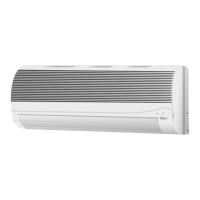
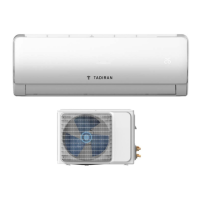
Illustrates indoor unit, outdoor unit, and their connections.
Explains operation lamps (POWER, TIMER, OPERATING) and ON/OFF button.
Explains icons for operation mode, temperature, timers, and settings.
Explains signal transmission from remote to indoor unit.
Details what information is shown on the remote display.
Describes SLEEP, TEMP, and ON/OFF buttons.
Explains TIMER ON, TIMER OFF, and SET/CANCEL buttons.
Covers MODE, FLAP, and FAN SPEED selector buttons.
Details FAN SPEED, 1 HR TIMER, ACL, and A/C SENSOR buttons.
Switches between cooling and heating based on temperature.
Step-by-step guide to insert batteries into the remote.
Instructions on aiming the remote and basic usage.
Advises on optimal and prohibited locations for the remote.
Steps to choose mode and turn the unit on/off via remote.
Adjusting temperature and selecting fan speed using the remote.
Using the FLAP button to adjust airflow direction.
Microcomputer auto-controls fan speed based on temperature differences.
Allows manual selection of fan speed (High, Medium, Low).
Adjusting horizontal vanes and vertical flap manually.
Using sweep function or automatic flap movement.
Feature for energy saving during sleep or unoccupied periods.
Explains temperature adjustments in Cooling/DRY and Heating modes.
Procedure to schedule the unit to turn on within 12 hours.
Procedure to schedule the unit to turn off within 12 hours.
Automatically stops the unit one hour after activation.
Provides enhanced airflow for rapid comfort, limited duration.
Discusses efficiency fall-off at low outdoor temperatures.
Explains defrost cycle and initial warm-up phase.
Notes on POWER lamp and automatic restart after power loss.
Describes normal clicking sounds due to thermal expansion/contraction.
How to operate the unit directly using the ON/OFF button.
Disconnect power before cleaning; avoid water on indoor unit.
Instructions for cleaning the unit's exterior surfaces.
Steps for removing, cleaning, and replacing the anti-mold filter.
Guide for installing the optional air clean filter.
Advice on maintaining efficiency, like filter cleaning and sealing.
Addresses issues like power failure, tripped breakers, or dead batteries.
Covers compressor stopping, poor cooling/heating, and obstructions.
Explains clicking sounds and troubleshooting for indicator lights.
Details key specifications like power, airflow, and capacity.
Illustrates the refrigerant circuit for cooling and heating.
Specifies the operational temperature limits for the unit.
Shows electrical connections for the outdoor component.
Shows electrical connections for the indoor component.
Itemizes all components included in the product packaging.
 General
| Brand | Tadiran Telecom |
|---|---|
| Model | TGI-12H |
| Category | Air Conditioner |
| Language | English |


 To Next Page
