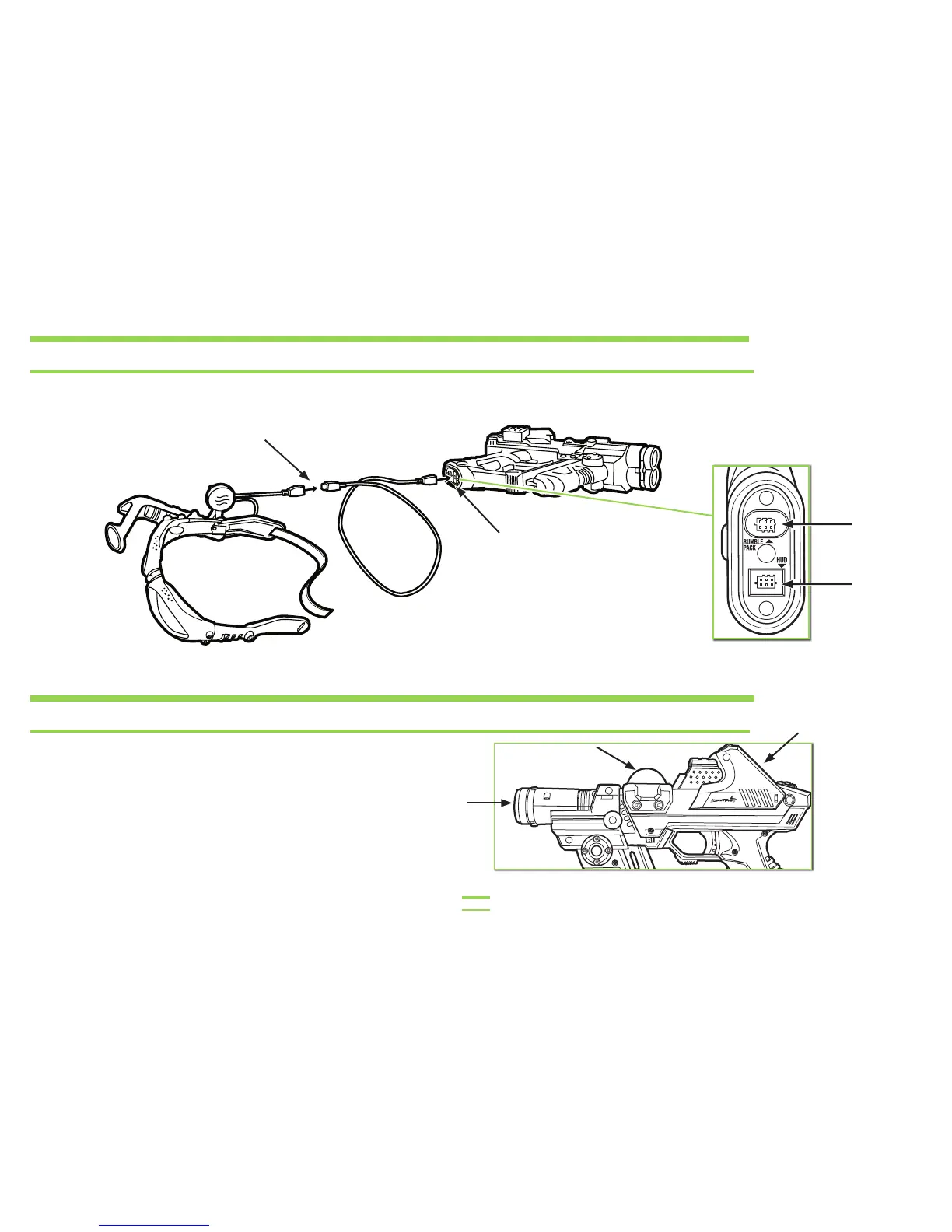
TO HOOK UP THE TAGGER TO THE HUD (HEADS UP DISPLAY) HEADSET SYSTEM
Plug this end of the Connector Cable into the HUD
(HEADS UP DISPLAY) Cable Port.
Plug this end of the
Connector Cable into the
HUD port on the TAGGER.
STICKERS
Several stickers have been included for you to decorate your
TAGGER. Please apply the stickers anywhere you like on your
TAGGER with the exception of the: LCD screen, IFF Beacon/
Receiver Dome and the Launching and Receiving Tubes.
NOTE: Stickers are a one-time application.
Do not place stickers where arrows are indicating.
PLEASE NOTE: Do not cover HUD lenses with stickers.
HUD Unit
Cable Port
Rumble Pack
Port
7


 To Next Page