EasyManua.ls Logo

Taico TK4800 - Address Switch (ADD) Configuration; LED Working Status Indicators

Taico TK4800
15 pages
Print Icon
To Next Page IconTo Next Page
To Previous Page IconTo Previous Page
Loading...
9
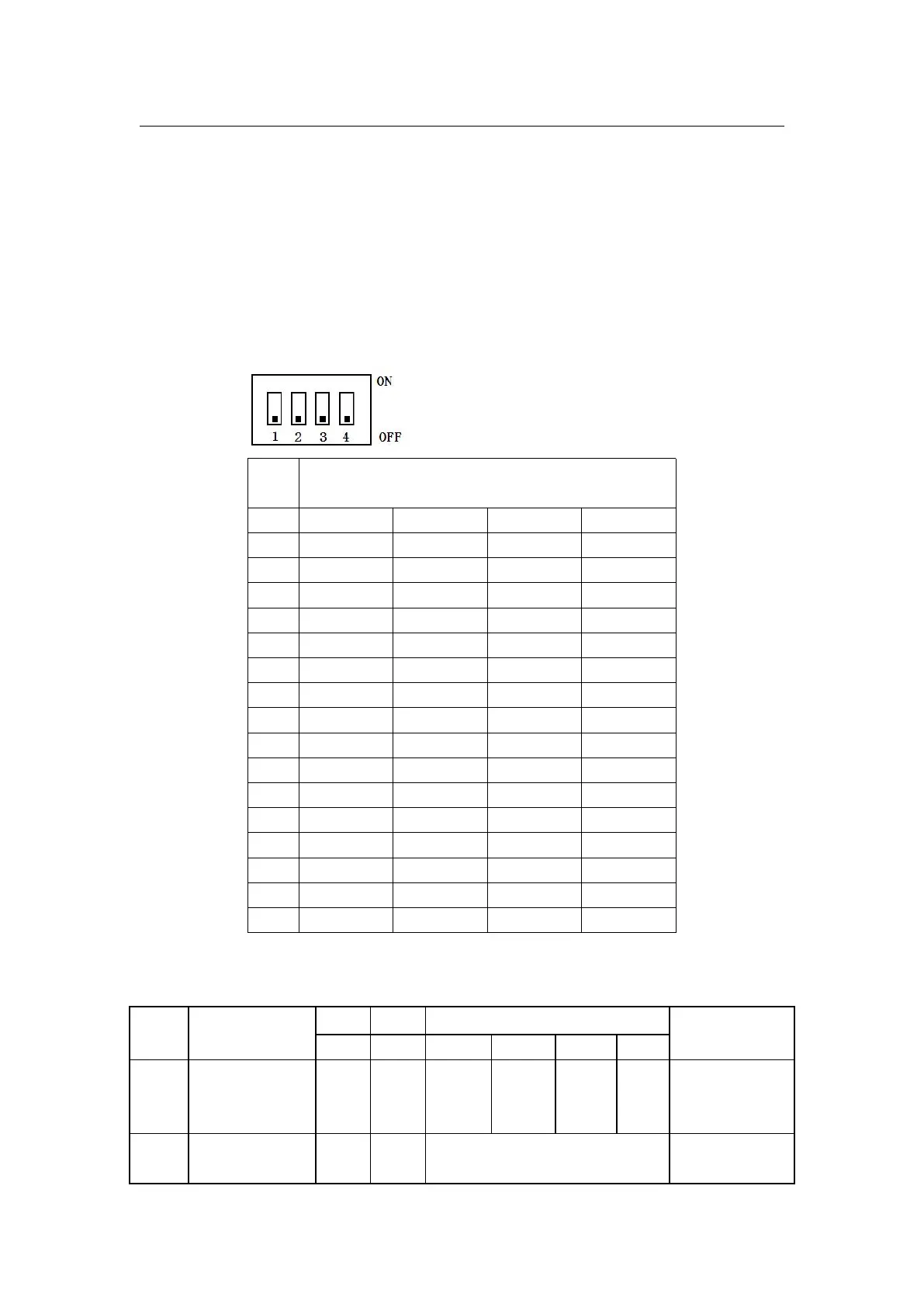
4.3.4 ADD :
Address switch: four address switches, used to determine where the
different communication address is. The lower position is off, which means 0.
The upper position is on, which means 1.
When the PACK is used in parallel, different addresses can be
distinguished by the dial switch on the BMS. To avoid setting the address to
the same PACK, the definition of the dial switch is referred to the table below.
Addr
ess
Dial switch position
#1
#2
#3
#4
0
OFF
OFF
OFF
OFF
1
ON
OFF
OFF
OFF
2
OFF
ON
OFF
OFF
3
ON
ON
OFF
OFF
4
OFF
OFF
ON
OFF
5
ON
OFF
ON
OFF
6
OFF
ON
ON
OFF
7
ON
ON
ON
OFF
8
OFF
OFF
OFF
ON
9
ON
OFF
OFF
ON
10
OFF
ON
OFF
ON
11
ON
ON
OFF
ON
12
OFF
OFF
ON
ON
13
ON
OFF
ON
ON
14
OFF
ON
ON
ON
15
ON
ON
ON
ON
4.3.5 indicator
Table 1 LED Working status indicators
State
RUN
ALM
Electricity indicator LED
Note
Shutd
own
Elimin
ation
Elimin
ation
Elimina
tion
Elimina
tion
Elimin
ation
Elimi
natio
n
Total extinction
Stand
by
Flash
1
Elimin
ation
According to the electricity indicator

Standby status

Related product manuals