14
force.
(
2
)
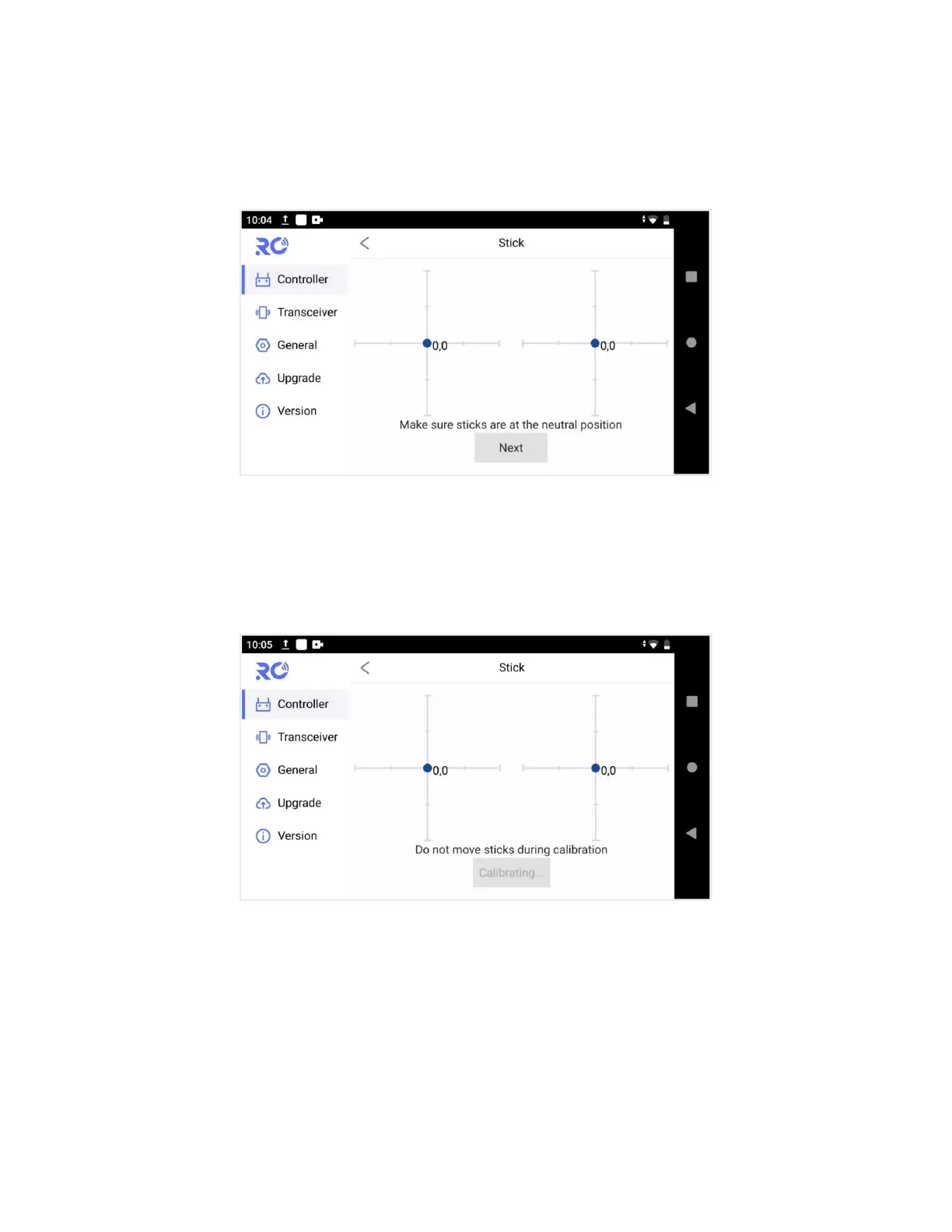
Select “Stick ” and access the setup screen shown below by touching “Start”.
(
3
)
If the sticks are at the neutral position already, but the blue dots are not at the central, it means
the stick neutral position has an offset.Now do not move the stick, touch on “Next” to do neutral
position calibration.
(
4
)
Go on with end point calibration. According to the prompt, move stick fully in each direction,
afterwards, touch on “Complete” to finish the correction operation.


 To Next Page