7
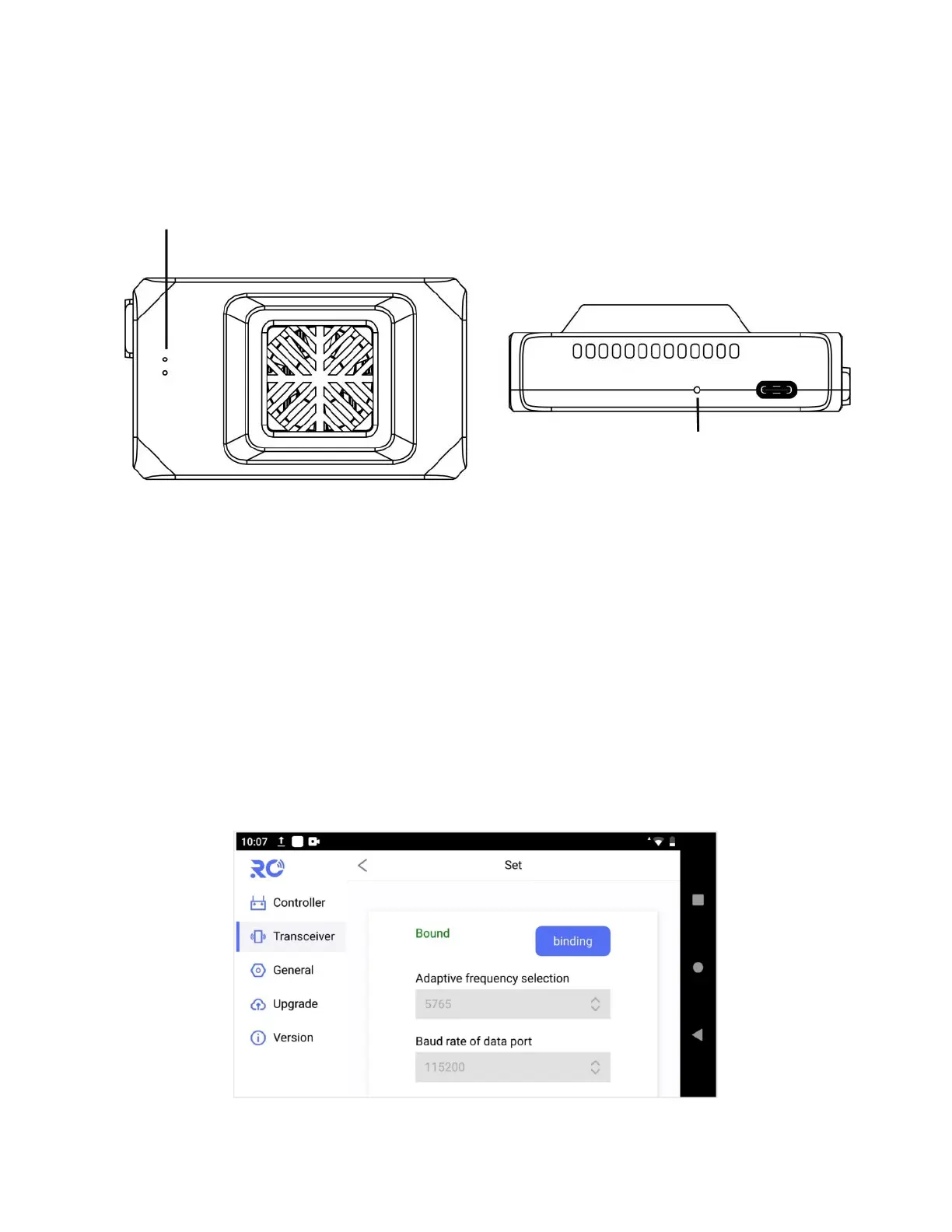
2.5.2 Air unit status indicator& button
The 2 LED lights of air unit are used to indicate the bind status only, when air unit is in binding, they
will be flashing in yellow/green respectively.
Note: Unit is bound already before factory delivery, user do not need to do bind again after
unfolding the box.
If user would like to do bind for particular case, please follow below steps:
(1) Power on air unit, power on remote controller, antennas must be installed before power on;
(2) Press-and-hold the bind button of air unit till the indication lights are flashing to get the air unit
into bind process, meanwhile, click on “binding” via Module->Set of RC tool app to trigger the bind
process of ground unit(remote controller), it will be shown as “bound” after completion.


 To Next Page