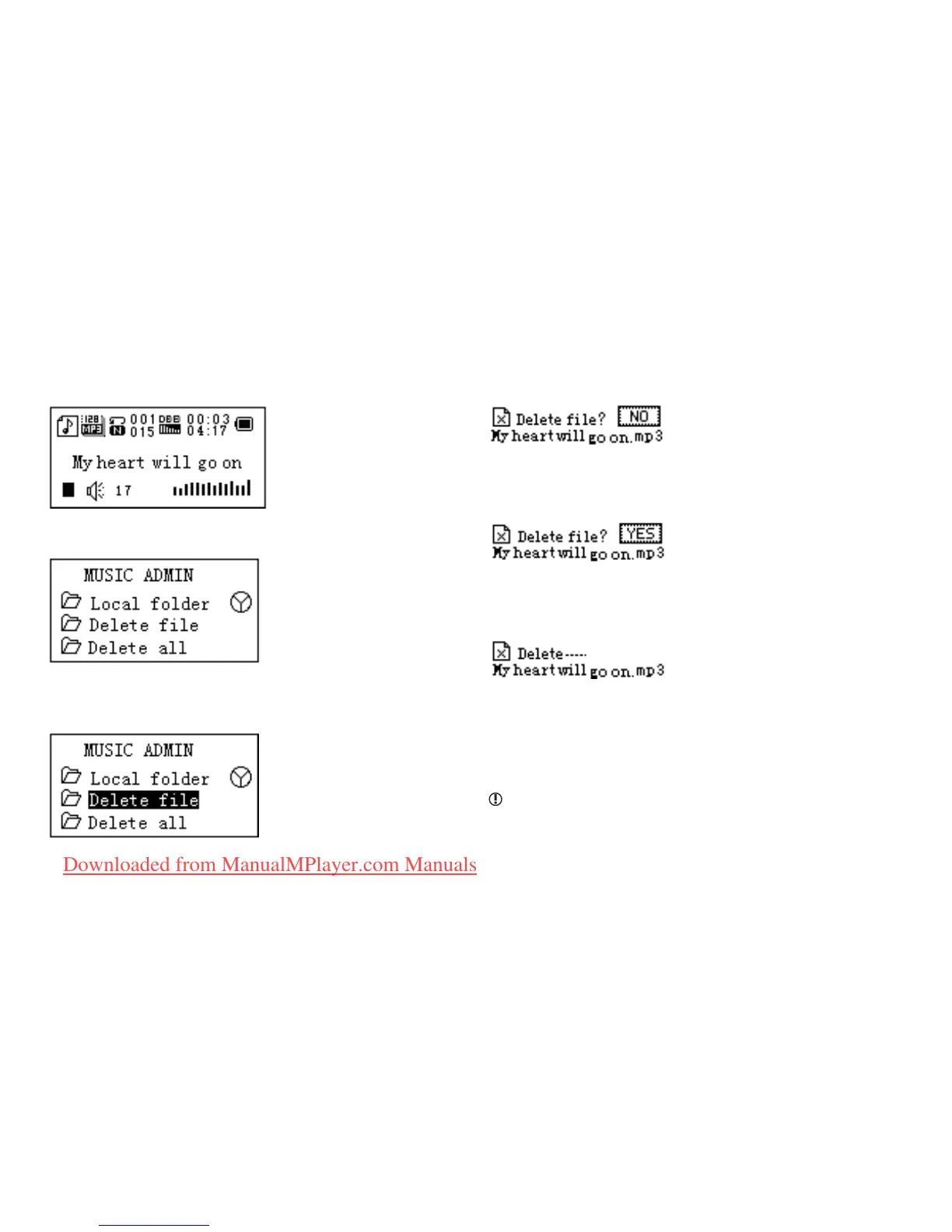
1. When stopped
2. Press Menu to enter the Stop submenu
3. Press Next or Last to choose ‘Delete le’ or ‘Delete all’
4. Press Menu to enter delete interface
5.Push Next to choose “YES“
6. Press Menu to conrm delete
‘Delete all’ will delete all les in current folder of current
mode. I.e. Choose ‘Delete all’ in Music mode will delete
all music les; recorder les will not be affected.
Please safely remove the player and unplug the
USB cable after deleting les on PC, otherwise it is
possible that some les will not be removed.
Downloaded from ManualMPlayer.com Manuals



 To Next Page