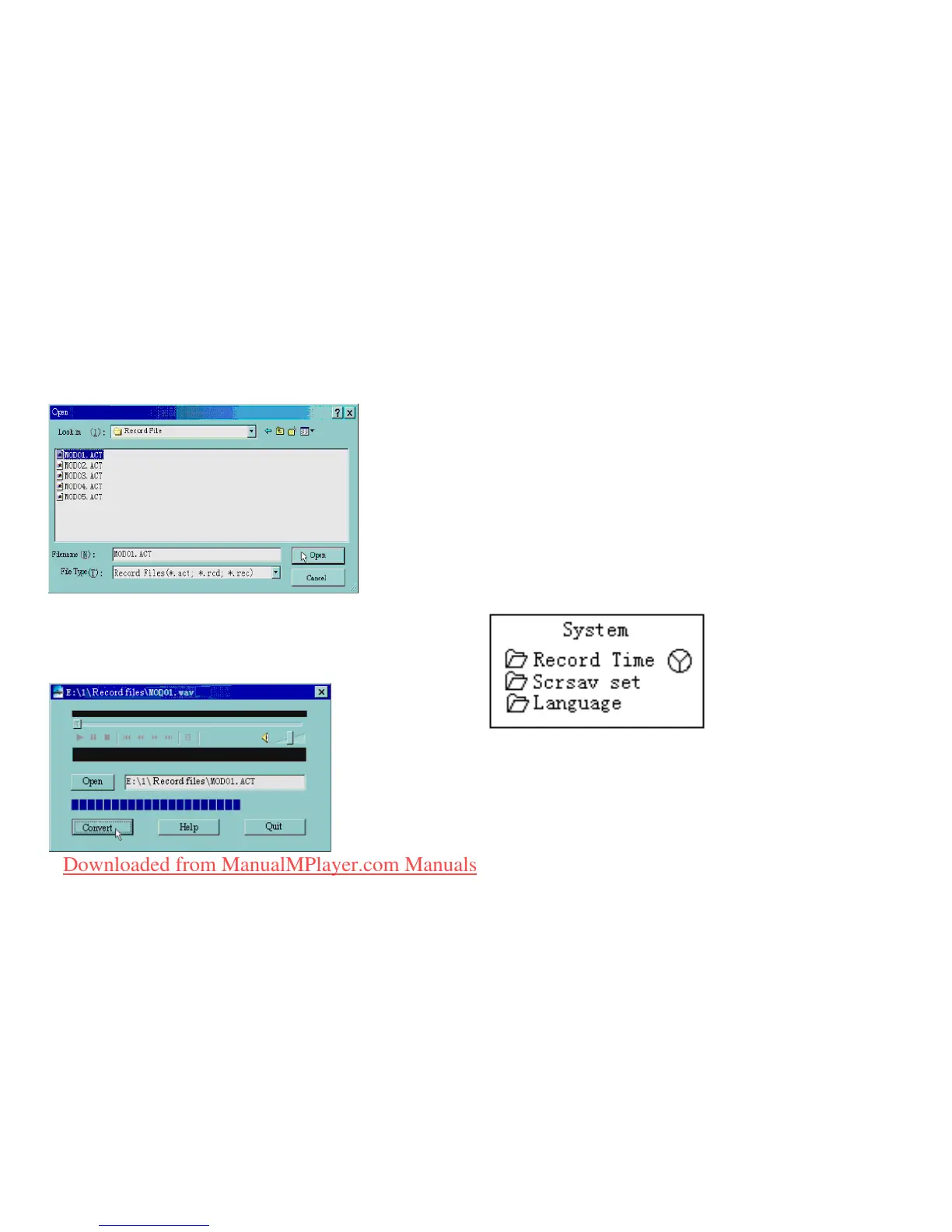
2. Select the ACT les which you would like to convert.
3. Click on the ‘CONVERT’ button, the program
will start converting the les.
PS: This tool can also play WAV and MP3 les.
SETTINGS
Entering Settings
Using this option, you can set system performances,
the options may vary for the different rmware version.
1. Enter the main menu
2. Push Next in order to scrolling to “Settings”
3. Press Menu to enter the settings.
Downloaded from ManualMPlayer.com Manuals



 To Next Page