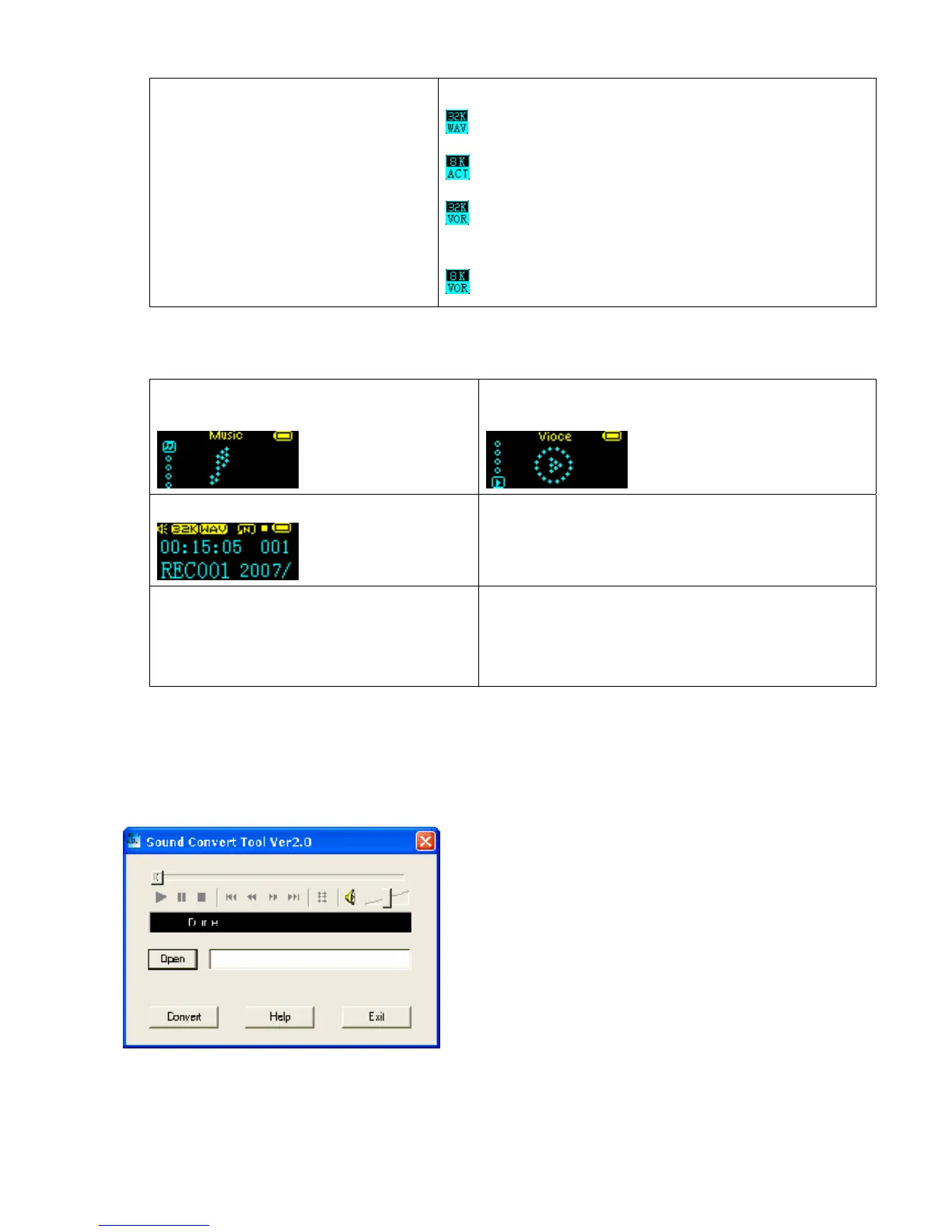
7. Press Play to start recording 8. Recording Type
:High quality recording, “wav” format , high sound quality
:High time recording, “act” format, ordinary sound quality
:High quality sound control, “wav” format(volume recording
stop recording when there is no sound
:Long time sound control, “act” format.
Play Recorder File
1. Enter main menu
2. Push Next to select
“Voice mode"
3.Press Mode to enter Voice mode interface.
4.Press Play to start playing.
5.Select recorded files:
Prev: to select the previous recorded file
Next: to select the next recorded file
6.Control Volume::
VOL+: to increase volume
VOL-: to decrease volume
Convert ACT File to WAV Format Files
The ACT format files can be converted to WAV format files through the accessory installation tools.
1. Run “Sound Converter” program , and click “open” button.
2. Choose the ACT files format conversion.
3. Click “Covert” button, the conversion starts.



 To Next Page