12
7 Operating the watch
With the mobile application installed and set up, now you can start using the watch. Please,
follow the steps below.
7.1 Powering on
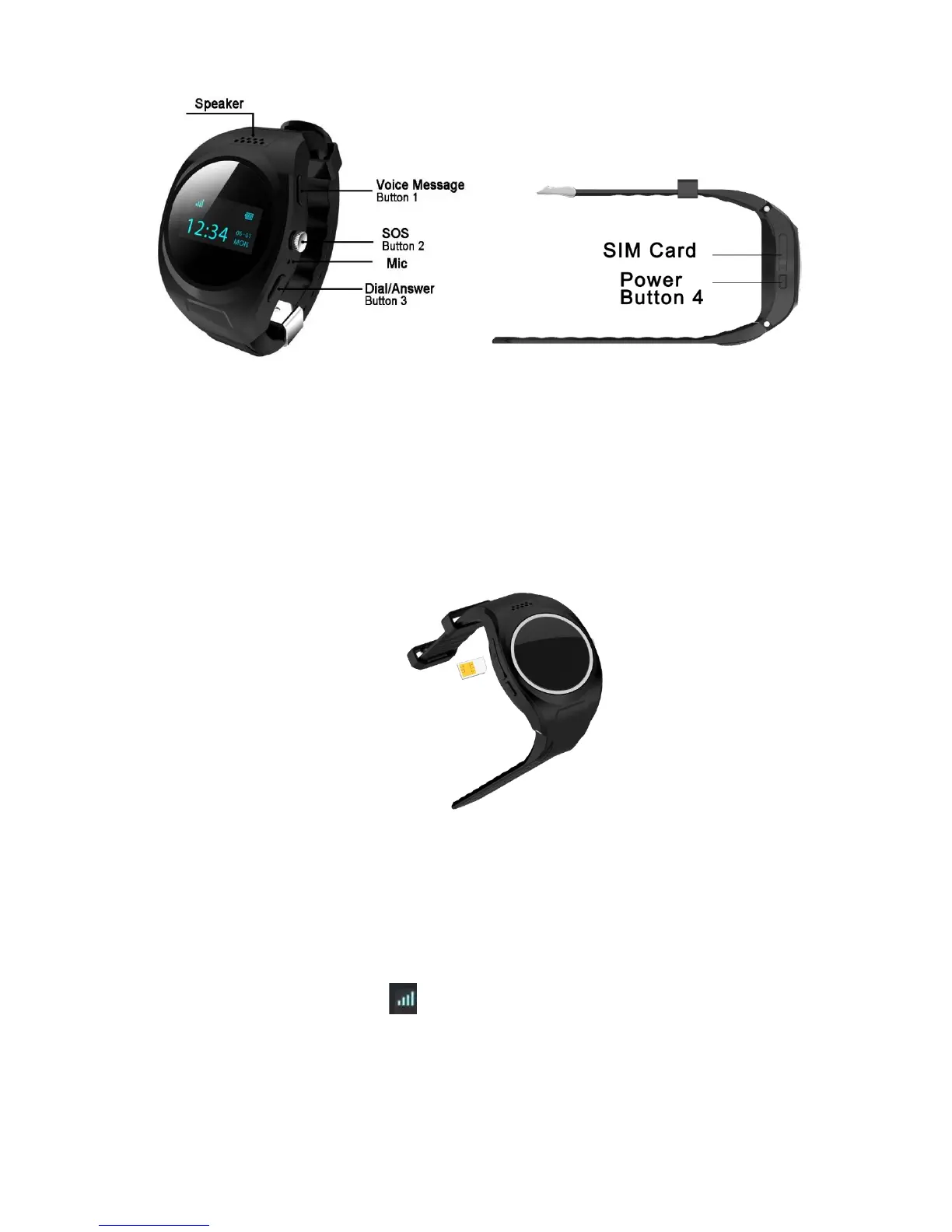
Before turning on the watch, open the SIM card slot cover on the left and insert the
micro SIM card as shown on the picture.
Push far inside until you hear the spring mechanism locking the card.
Close the SIM card slot cover and make sure it has been pushed into place tightly in
order to avoid water entering the watch.
Press and hold Button 4 for 3 seconds to power on the watch. The TAKIT logo
appears on the screen and a chime is played.
The watch shows the date and time. Wait until it connects to the GSM network.
When this happens, the symbol appears in the top left corner of the watch
display.



 To Next Page