
 Need help?
Do you have a question about the TAN Bead Maelstrom 9600 and is the answer not in the manual?
Explains various symbols found on the instrument and manual.
Describes how the Maelstrom 9600 uses magnetic rods and spin tips for nucleic acid extraction.
Specifies the applications and user requirements for the Maelstrom 9600.
Details the necessary environmental conditions for operating and storing the instrument.
Provides critical safety precautions and handling guidelines for the device.
Lists the safety and EMC standards the medical device conforms to.
Lists the accessories included with the instrument.
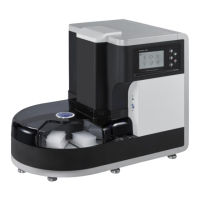
Provides a visual overview and specifications of the instrument's front.
Continues front view details including Program Name and UDI-DI.
Details the side view components: ON/OFF switch, turntable buttons, and turntable.
Describes the back panel ports (USB, RS-232) and power inlet.
Explains the functions of buttons on the control panel (Buzzer, Pause, Light, Start, Stop).
Outlines checks for power supply and software version before operation.
Guides users through creating a personal user code for the instrument.
Illustrates user code entry and common error messages like "Repeated name".
Details the main interface elements and their functions (Tips, Run, Reports, UV Lamp, Edit, Setting).
Explains the process of mounting and ejecting spin tips using the instrument's interface.
Guides on selecting a program and entering kit/tip lot information.
Differentiates between "TANBead Plate" and "Non-TANBead" kit formats.
Describes how to enter sample IDs and place reagent plates correctly.
Explains how to specify which plate holders to eject spin tips into.
Shows the "Ready?" confirmation screen and the during-run status display.
Details how to enable and use the barcode reader function.
Explains using barcodes for kit/tip lots and sample IDs.
Provides a detailed breakdown of the information displayed during an active run.
Describes how to pause, resume, or end an ongoing experiment.
Explains the finish message and automatic return to the main page.
Introduces the edit page for deleting, copying, and modifying programs.
Details the procedures for deleting, copying, and editing programs.
Explains the adjustable parameters within a program: Volume, Keep Temp, Action, and Name.
Details configuring individual steps within a program, including parameters like temp, mixing, and collect time.
Explains how to configure up to 35 steps per program and save changes.
Describes how to view recorded experiment data, kit lots, and sample IDs.
Explains how to access and view alarm history for troubleshooting.
Shows how sample IDs, kit lots, and tip lots are displayed in reports.
Explains the format and content of alarm records.
Guides on using the UV lamp for instrument sterilization.
Explains how to operate the HEPA function for sterilization.
Introduces the main settings menu and its icons.
Describes how to change the display language of the instrument.
Guides on setting the device's date and time.
Explains how to enable or disable the barcode reader.
Details the factor setting, accessible only to engineers.
Covers adding, deleting, and managing user accounts.
Provides instructions for cleaning the instrument after use.
Advises on proper disposal methods according to regulations.
Lists patent numbers for different regions.
Guides on securing the gearbox for safe transportation.
Details the steps for adjusting the gearbox for shipping.
Provides a step-by-step guide for replacing the instrument's fuse.
 General
| Brand | TAN Bead |
|---|---|
| Model | Maelstrom 9600 |
| Category | Laboratory Equipment |
| Language | English |

 To Next Page
