EasyManua.ls Logo

T&S Equip 5EF-1D-WG - User Manual

T&S Equip 5EF-1D-WG
15 pages
Print Icon
To Next Page IconTo Next Page
Loading...
Installation and
Installation and
Maintenance
Maintenance
Instructions
Instructions
Limited One Year Warranty
Equip warrants the original purchaser (other than
for purposes of resale) that such product is free from
defects in material and workmanship for a period
of one (1) year from the date of purchase. During
this warranty period, if the product is found to be
defective, equip shall, at its option, repair and/or
replace it. To obtain warranty service, products
must be returned to:
Equip Foodservice Accessories
Attn: Warranty Repair Department
P.O. Box 1088, 2 Saddleback Cove
Travelers Rest, SC 29690
Shipping, freight, insurance, and other
transportation charges of the product to equip and
the return of repaired or replaced product to the
purchaser are the responsibility of the purchaser.
Repair and/or replacement shall be made within
a reasonable time after receipt by Equip of the
returned product. This warranty does not cover
items which have received secondary finishing or
have been altered or modified after purchase, or
for defects caused by physical abuse to or misuse of
the product, or shipment of the products.
Any express warranty not provided herein, and
P/N: 098-015286-45 Rev.3
Date: 08-18-15
Drawn: TEH
Checked: DMH 11-19-15
Approved: JHB 11-25-15
any remedy for Breach of Contract which might
arise, is hereby excluded and disclaimed. Any
implied warranties of merchantability or fitness
for a particular purpose are limited to one year in
duration. Under no circumstances shall Equip be
liable for loss of use or any special consequential
costs, expenses or damages.
Some states do not allow limitations on how
long an implied warranty lasts or the exclusion
or limitation of incidental or consequential
damages, so the above limitations or exclusions
may not apply to you. Specific rights under this
warranty and other rights vary from state to state.
Attention California Residents:
WARNING: This product contains chemicals
known to the State of California to cause cancer,
and birth defects or other reproductive harm.”
Español:
Instrucciones de instalación y mantenimiento
Mandarin:
安装与维护说明
EQUIP
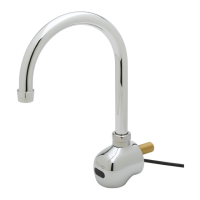
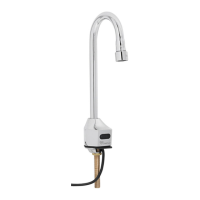
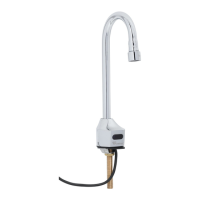
TOUCH-FREE
SENSOR FAUCETS
5EF-1D-WG
5EF-EU1WG-C
5EF-1D-DG
5EF-EU1DG-C
5EF-1D-DS
5EF-EU1DS-C
5EF-2D-DS
5EF-EU4DS-C
Question and Answer IconNeed help?

Do you have a question about the T&S Equip 5EF-1D-WG and is the answer not in the manual?

Summary

Limited One Year Warranty

Attention California Residents

Español; Mandarin

Installation and Mounting Steps

Flush water lines for clarity

Flush all water lines until water is clear before connecting faucet to supply stops.

Install tee fitting with filter

Ensure the tee shaped fitting with filter is installed on the control module.

Avoid sensor interference

Avoid bright lights, reflective surfaces, and sunlight affecting sensor performance.

Insert sensor cable and inlet shank

Insert sensor cable and inlet shank through the base gasket and sink opening.

Secure faucet using mounting washer

Secure the faucet using the provided mounting washer and nut.

Connect 1;4 NPSM hose to inlet shank

Connect the 1/4" NPSM end of the hose to the inlet shank.

Connect 1;2 NPSM hose to control module

Connect the 1/2" NPSM end of the hose to the control module.

Connect sensor cable to control module

Align white arrows on sensor cable and control module connector and connect.

Secure connector cover on sensor cable

Screw the connector cover onto the sensor cable.

Connect mixing valve to tee fitting

Connect the mixing valve to the tee-shaped fitting with filter.

Optional single temperature installation

Connect supply hose to tee fitting with a 1/2" nipple for single temp setup.

Mount control module to wall

Mount the control module to the wall using screws and anchors.

Connect supply hoses and transformer

Connect supply hoses to mixing valve/stop valve; plug in transformer. Check for leaks.

Operation

Water flow activation

Place hands under spout; water flows as long as hands are within sensor range.

Filter cleaning

Clean the filter every month.

Electronic eye maintenance

Keep the electronic eye cover clean for proper sensor function.

Low battery indicator

Red flashing in electronic eye indicates low batteries (use Alkaline AA).

Dead battery indicator

Solid red light and no water flow indicates dead batteries.

AC adapter power conservation

With AC adapter, faucet switches to AC power, conserving battery power.

Sensor Range Setup

Adjustable sensing distance

Sensing distance is adjustable from 3/4" (2cm) to 6-11/16" (17cm).

Setting sensor range method

Set sensor range using the on/off button on the control module.

Initiate range setup procedure

Push and hold on/off button; water flows. After 5-7 secs, flow stops, red LED turns solid.

Prepare for new range setting

Release on/off button. Red LED turns off, signaling readiness for next 15 seconds.

Set desired sensor distance

Hold hand still at desired distance; red LED flashes 5 times, then stays on 2 secs.

Handle range setup timeout

If not set within 15 secs, red LED blinks quickly. Start over from step 3.

Battery Replacement

Battery requirements

Faucet requires four (4) AA alkaline batteries. Unplug AC adapter if used.

Access battery compartment

Remove three fasteners on battery cover and pull cover away from control box.

Remove and install batteries

Remove old batteries. Install new AA batteries facing correct +/– direction.

Replace battery cover

Return battery cover and tighten fasteners. Plug in AC adapter if applicable.

Power loss and sensor range

Sensor range is saved upon power disconnection and reverts on power restore.

Frequently Asked Questions (Q&A)

Manual faucet operation

Yes, press on/off button for manual flow. Water stops manually or after 30 seconds.

Optimal sensing distance

Optimal distance is just in front of the water stream, on the side towards the user.

Electronic eye maintenance

Keep eye clean with mild soap and water, wipe with soft cloth for function.

Filter cleaning frequency

Clean filter every 4-12 weeks, depending on local water quality.

Water not shutting off

Sensor range may be too long; adjust sensor range as needed.

No water, red LED stays on

This indicates a problem with the batteries; replace them.

Part Numbers

T&S Equip 5EF-1D-WG Specifications

General IconGeneral
BrandT&S
ModelEquip 5EF-1D-WG
CategoryPlumbing Product
LanguageEnglish

Related product manuals