EasyManua.ls Logo

Tangent ALIO BAZE - User Manual

Tangent ALIO BAZE
239 pages
Print Icon
To Next Page IconTo Next Page
Loading...
ALIO BAZE
CD/DAB+/DAB/FM/Bluetooth radio
User’s manual
Mode d’emploi
Bedienungsanleitung
Gebruikershandleiding
Brugermanual
Bruksanvisning
Käyttöopas
Manuale utente
Manual del usuario
Manual do utilizador

Table of Contents

Question and Answer IconNeed help?

Do you have a question about the Tangent ALIO BAZE and is the answer not in the manual?

Summary

Getting Started

What you can find inside of your package

Lists the items included in the product packaging for user reference.

Positioning your Radio

Provides guidelines on where to place the radio for optimal performance and safety.

Adjusting the Antenna

Explains how to extend and position the antenna for best DAB and FM reception.

Turning the Unit On;Off

Details the procedure for connecting the power adapter and switching the unit on or standby.

Volume Control

Describes how to adjust the audio volume using the dedicated knob.

Unit Top View

ALARM button

Button to set or activate the alarm function.

PRESET buttons 1;5, 2;6, 3;7, 4;8

Buttons for storing and recalling favorite stations 1-4 and 5-8.

SNOOZE button

Activates the snooze function when an alarm is sounding.

SHIFT button

Used in conjunction with preset buttons to access stations 5-8.

SLEEP button

Button to set the automatic sleep timer for the unit.

Unit Front View

Display

Shows current status, track information, and menu options.

VOLUME knob

Controls the audio output volume.

CD tray

Compartment for inserting and playing audio CDs.

POWER Button

Switches the unit on or sets it to standby mode.

INFO button

Displays additional information about the current station or track.

SCAN button

Initiates automatic station scanning or Bluetooth device selection.

Remote control sensor

Receives signals from the infrared remote control.

MODE button

Cycles through available input modes: DAB, FM, Bluetooth, CD, AUX.

MENU button

Accesses or exits the main menu screen.

ENTER button

Confirms selections and menu options.

Playback Control Buttons

Buttons for play, pause, stop, skip, and fast forward/reverse tracks.

TUNE knob

Used for browsing stations, menus, and adjusting frequencies.

Unit Back View

DAB;FM antenna

Connects to the unit for receiving radio signals.

SERVICE sockets

Reserved for professional service personnel only.

AUX IN socket

Input for connecting external audio devices.

DC IN socket

Power input port for the supplied adapter.

Remote Control View

Power and Dim buttons

Controls unit power on/standby and display dimmer.

Eject CD button

Initiates the ejection of the CD from the tray.

ENTER button

Confirms selections made via the remote control.

Navigation buttons

Up, down, backward, and forward controls for menu and track selection.

MEMORY button

Stores and recalls preset radio stations.

MENU button

Displays or exits the unit's menu system.

Preset and Shift buttons

Buttons for accessing stored radio stations and secondary presets.

DAB Mode

Initial Scan and Station List

Automatic scanning for stations upon first use and managing the station list.

Secondary Service Selection

How to access and play additional services linked to a primary station.

Station Order and Scanning

Station Order Options

Allows display of stations in alphanumeric or ensemble order.

Full Scan Procedure

Performs a complete scan to find all available DAB/DAB+ stations.

Manual Tune Operation

Manually tune to specific channels and frequencies for DAB radio.

DRC Value Adjustment

Sets the Dynamic Range Control for compression of sound levels.

DAB Station Management

Pruning Unavailable Stations

Removes stations with no signal from the station list.

Viewing Station Information

Displays detailed information about broadcast stations.

Storing DAB Preset Stations

Saves favorite DAB/DAB+ stations for quick access.

Recalling DAB Preset Stations

Recalling Preset Stations

How to select and play stored DAB/DAB+ favorite stations.

FM Mode Operations

Selecting FM Mode

How to switch the radio to FM broadcast reception.

Scan Setting Options

Configures FM scan to stop at strong stations only or any station.

Audio Setting Options

Adjusts audio output to stereo or mono for weak stations.

Viewing Station Information

Displays additional information for FM stations.

FM Station Presets

Storing FM Preset Stations

Saves favorite FM radio stations for quick retrieval.

Recalling FM Preset Stations

How to select and play stored FM favorite stations.

Bluetooth Mode

Pairing with Bluetooth Devices

Steps to connect the radio with Bluetooth-enabled devices.

Playback Control

Functions for play, pause, skip, and rewind/fast-forward Bluetooth audio.

Disconnecting Bluetooth

Procedure to end the current Bluetooth connection.

Connecting to Paired Devices

How to reconnect to previously paired Bluetooth devices.

CD Mode Operations

Inserting CD to CD Tray

Instructions for loading an audio CD into the player.

Playing CD Program

Details on playback, track selection, and stopping CD playback.

Setting Random Playback

Enables or disables random playback of CD tracks.

CD Tray Management

Setting Repeat Playback

Configures repeat playback for single tracks or the entire album.

Ejecting CD from CD Tray

Procedure to open the CD tray and remove the disc.

Aux in Mode

Connecting External Audio Sources

How to connect MP3 players or other devices via AUX input.

Playback and Volume Adjustment

Operating external devices and optimizing volume levels.

General Operations

Setting Alarm

Configuring dual alarms with source, repetition, and volume.

Setting Sleep Timer

Setting the radio to automatically switch to standby after a delay.

Setting Date;Time

Manual or automatic (DAB) setting of the current date and time.

Time and Sound Settings

Setting Time Format

Choosing between 12-hour and 24-hour time display.

Setting Snooze Time

Adjusting the duration of the alarm snooze function.

Setting Display Brightness

Adjusting screen brightness levels for standby and normal modes.

Setting Equalizer Profiles

Selecting sound equalization presets like Rock, Pop, Jazz, or custom EQ.

Setting Loudness

Enabling or disabling the loudness feature for enhanced bass.

System Settings

Factory Reset

Restores all user settings to default values.

Firmware Information

Displays version information for the unit's firmware.

Summary

Getting Started

What you can find inside of your package

Lists the items included in the product packaging for user reference.

Positioning your Radio

Provides guidelines on where to place the radio for optimal performance and safety.

Adjusting the Antenna

Explains how to extend and position the antenna for best DAB and FM reception.

Turning the Unit On;Off

Details the procedure for connecting the power adapter and switching the unit on or standby.

Volume Control

Describes how to adjust the audio volume using the dedicated knob.

Unit Top View

ALARM button

Button to set or activate the alarm function.

PRESET buttons 1;5, 2;6, 3;7, 4;8

Buttons for storing and recalling favorite stations 1-4 and 5-8.

SNOOZE button

Activates the snooze function when an alarm is sounding.

SHIFT button

Used in conjunction with preset buttons to access stations 5-8.

SLEEP button

Button to set the automatic sleep timer for the unit.

Unit Front View

Display

Shows current status, track information, and menu options.

VOLUME knob

Controls the audio output volume.

CD tray

Compartment for inserting and playing audio CDs.

POWER Button

Switches the unit on or sets it to standby mode.

INFO button

Displays additional information about the current station or track.

SCAN button

Initiates automatic station scanning or Bluetooth device selection.

Remote control sensor

Receives signals from the infrared remote control.

MODE button

Cycles through available input modes: DAB, FM, Bluetooth, CD, AUX.

MENU button

Accesses or exits the main menu screen.

ENTER button

Confirms selections and menu options.

Playback Control Buttons

Buttons for play, pause, stop, skip, and fast forward/reverse tracks.

TUNE knob

Used for browsing stations, menus, and adjusting frequencies.

Unit Back View

DAB;FM antenna

Connects to the unit for receiving radio signals.

SERVICE sockets

Reserved for professional service personnel only.

AUX IN socket

Input for connecting external audio devices.

DC IN socket

Power input port for the supplied adapter.

Remote Control View

Power and Dim buttons

Controls unit power on/standby and display dimmer.

Eject CD button

Initiates the ejection of the CD from the tray.

ENTER button

Confirms selections made via the remote control.

Navigation buttons

Up, down, backward, and forward controls for menu and track selection.

MEMORY button

Stores and recalls preset radio stations.

MENU button

Displays or exits the unit's menu system.

Preset and Shift buttons

Buttons for accessing stored radio stations and secondary presets.

DAB Mode

Initial Scan and Station List

Automatic scanning for stations upon first use and managing the station list.

Secondary Service Selection

How to access and play additional services linked to a primary station.

Station Order and Scanning

Station Order Options

Allows display of stations in alphanumeric or ensemble order.

Full Scan Procedure

Performs a complete scan to find all available DAB/DAB+ stations.

Manual Tune Operation

Manually tune to specific channels and frequencies for DAB radio.

DRC Value Adjustment

Sets the Dynamic Range Control for compression of sound levels.

DAB Station Management

Pruning Unavailable Stations

Removes stations with no signal from the station list.

Viewing Station Information

Displays detailed information about broadcast stations.

Storing DAB Preset Stations

Saves favorite DAB/DAB+ stations for quick access.

Recalling DAB Preset Stations

Recalling Preset Stations

How to select and play stored DAB/DAB+ favorite stations.

FM Mode Operations

Selecting FM Mode

How to switch the radio to FM broadcast reception.

Scan Setting Options

Configures FM scan to stop at strong stations only or any station.

Audio Setting Options

Adjusts audio output to stereo or mono for weak stations.

Viewing Station Information

Displays additional information for FM stations.

FM Station Presets

Storing FM Preset Stations

Saves favorite FM radio stations for quick retrieval.

Recalling FM Preset Stations

How to select and play stored FM favorite stations.

Bluetooth Mode

Pairing with Bluetooth Devices

Steps to connect the radio with Bluetooth-enabled devices.

Playback Control

Functions for play, pause, skip, and rewind/fast-forward Bluetooth audio.

Disconnecting Bluetooth

Procedure to end the current Bluetooth connection.

Connecting to Paired Devices

How to reconnect to previously paired Bluetooth devices.

CD Mode Operations

Inserting CD to CD Tray

Instructions for loading an audio CD into the player.

Playing CD Program

Details on playback, track selection, and stopping CD playback.

Setting Random Playback

Enables or disables random playback of CD tracks.

CD Tray Management

Setting Repeat Playback

Configures repeat playback for single tracks or the entire album.

Ejecting CD from CD Tray

Procedure to open the CD tray and remove the disc.

Aux in Mode

Connecting External Audio Sources

How to connect MP3 players or other devices via AUX input.

Playback and Volume Adjustment

Operating external devices and optimizing volume levels.

General Operations

Setting Alarm

Configuring dual alarms with source, repetition, and volume.

Setting Sleep Timer

Setting the radio to automatically switch to standby after a delay.

Setting Date;Time

Manual or automatic (DAB) setting of the current date and time.

Time and Sound Settings

Setting Time Format

Choosing between 12-hour and 24-hour time display.

Setting Snooze Time

Adjusting the duration of the alarm snooze function.

Setting Display Brightness

Adjusting screen brightness levels for standby and normal modes.

Setting Equalizer Profiles

Selecting sound equalization presets like Rock, Pop, Jazz, or custom EQ.

Setting Loudness

Enabling or disabling the loudness feature for enhanced bass.

System Settings

Factory Reset

Restores all user settings to default values.

Firmware Information

Displays version information for the unit's firmware.
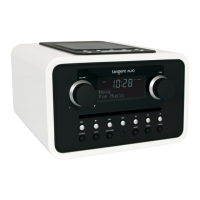
Tangent ALIO BAZE Specifications

General IconGeneral
BrandTangent
ModelALIO BAZE
CategoryRadio
LanguageEnglish

Related product manuals