Need help?
Do you have a question about the TANLANIN TE-2026 and is the answer not in the manual?
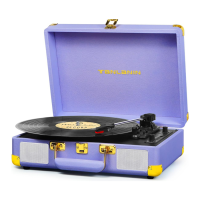
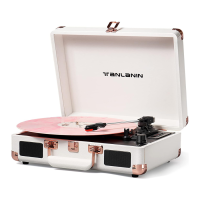
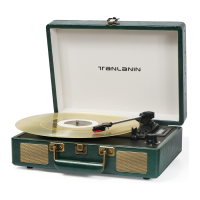
This document describes the TE-2026 Portable Suitcase Record Player, a turntable with USB and Bluetooth reception, designed for playing vinyl records and offering modern connectivity options.
The TE-2026 is a versatile record player that allows users to enjoy their vinyl collection and also offers digital audio capabilities. Its primary function is to play 33 1/3, 78, and 45 RPM records. Beyond traditional vinyl playback, it features USB recording, enabling users to convert their vinyl records into digital WAV/MP3 files. The device also supports Bluetooth reception, allowing for wireless streaming of audio from compatible devices like smartphones and tablets. Additionally, it includes an AUX-IN port for connecting external audio sources via a 3.5mm audio cable and RCA audio output for connecting to external stereo systems.
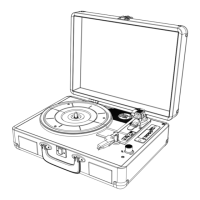
Record Playback: The turntable supports three speeds: 33 1/3, 78, and 45 RPM. A 45 RPM adapter is included for playing records with larger center holes. Users can select the desired speed using the speed selection switch. The device features an auto-stop ON/OFF switch, which, when enabled, stops the turntable automatically when the record finishes playing. To play a record, users must first unlock the tone arm, place the record on the platter, select the correct speed, and then gently lower the tone arm onto the record. The tone arm lift lever assists in safely raising and lowering the tone arm.
Bluetooth Reception: To connect via Bluetooth, users need to turn on the device and press the "M" button to switch to Bluetooth mode. The LED display will show "bt". On a smartphone or tablet, users should search for Bluetooth devices and select "BLTD" to pair. A password of "0000" might be required. Once paired, audio can be streamed wirelessly to the turntable.
USB Recording: The TE-2026 can record vinyl playback directly to a USB flash drive or TF card in WAV/MP3 format. The storage device must be formatted in FAT/FAT32. To record, insert the USB drive/TF card, press the "M" button for 3 seconds until the display shows "REC", then press "M" again to start recording. Press "M" once more to stop recording. The device creates a "JL_REC" folder on the storage device for recorded files. It's recommended to make a backup of files before recording.
USB/TF Card Playback: The unit can play WAV/MP3 files stored on a USB flash drive or TF card. Insert the USB drive or TF card, and the unit will automatically detect and play the files. The "Pause/Play" and "Previous/Next Track" buttons allow for control over playback.
External Audio Connections:
Powering the Unit: The device is powered by a DC 5V/1A adapter. The power cord connects to the DC input on the back of the unit. The USB side of the adapter plugs into a standard wall power outlet.
Record Care: To prevent damage to records and the stylus, it's important to handle records by the edges and clean them regularly. Using a record cleaner and cleaning solution is recommended. Never use a record that is cracked or warped, as this can cause extreme wear and destruction of the needle.
Stylus Replacement: The durability time of the recoil needle is approximately 200-250 hours. The stylus is a consumable part and should be replaced when worn to ensure optimal sound quality and prevent damage to records. Replacement styluses are universally available and can be purchased online.
To remove the old needle:
To install a new needle:
Troubleshooting: The manual provides guidance for common issues:
FCC Statements: The device complies with Part 15 of the FCC Rules, indicating it has been tested and found to comply with limits for a Class B digital device. Users are advised that changes or modifications not expressly approved by the party responsible for compliance could void the user's authority to operate the equipment. The device is designed to accept interference received, including interference that may cause undesired operation.

 To Next Page
 General