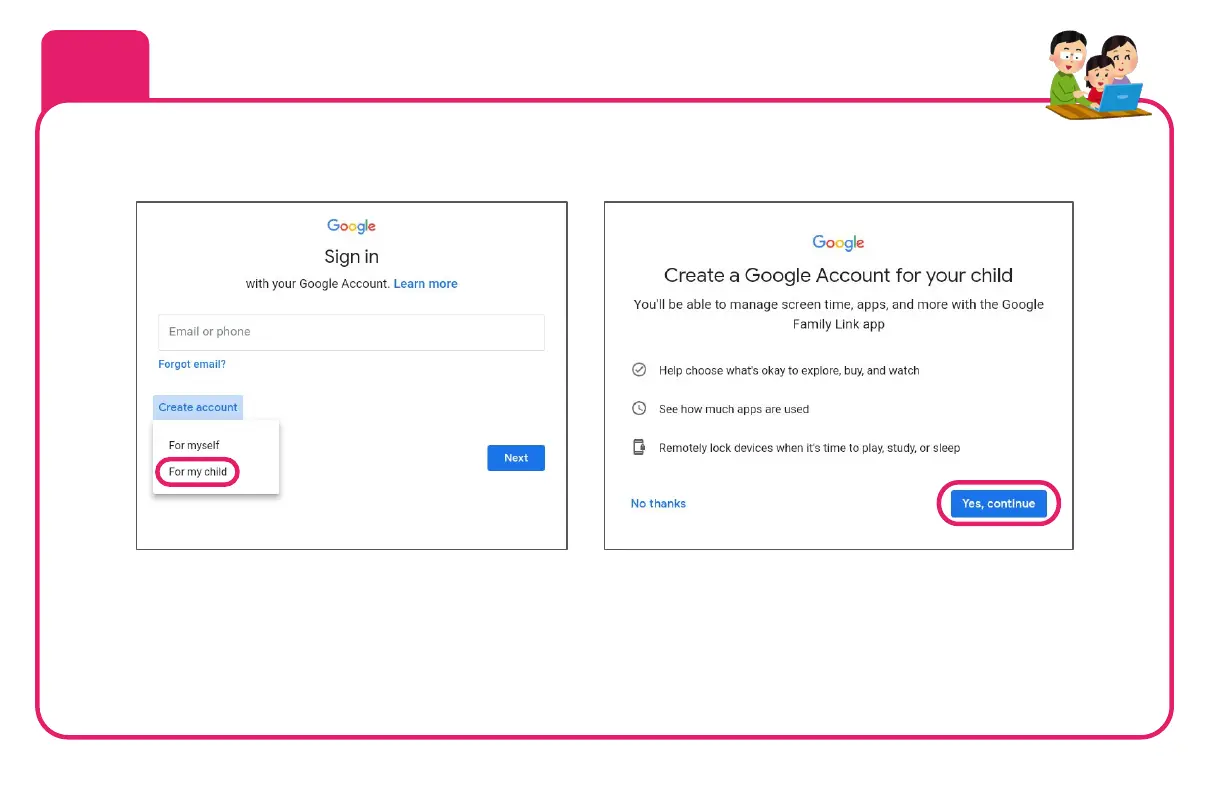
You’ll need to provide your kid’s name, age, gender, and create a custom username for their account. This account
will be linked with a parent’s Google Account in the next step. Be sure to enter your kid’s real age! If the age
entered is 13 or over, the Family Link parental controls will not be activated.
If your kid already has a personal Google Account and they listed their age as less than 13 (NOT a school
account, which you can add later), you can use that instead.
8
Create a NEW Google Account for your kid to use that will be managed by Family
Link (if they don’t already have a managed account)


 To Next Page