Siri / Google Assistant
Redial
Voice Change
Volume + / -
Previous / Next Track
After connected with Bluetooth device, press and hold
the Multifunction Button for 2 seconds, then release the
Multifunction Button until a warning tone “dudu” is
heard
Press the Multifunction Button twice
Press and hold the Multifunction Button for 2 seconds
to switch the voice between your phone and Bluetooth
headphone
Press the Volume + / - Button once
Press and hold the Volume - / + Button for 1 second
Note:
• Low battery alarm occurred 10 minutes before automatically shut off with LED
indicator flashing red quickly and a warning tone "Battery Low".
• The headphones automatically turns off if there is no connection for 10 minutes
with a warning tone “Power Off”.
• Connect the 3.5mm audio port with the included audio cable for wired
headphone use. The Bluetooth function will turn off automatically.
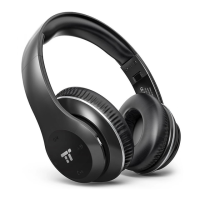
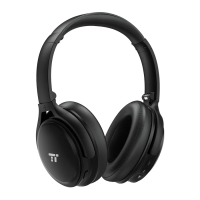
1 x TaoTronics Kabellose ANC Kopfhörer (TT-BH090)
1 x Micro-USB-Ladekabel
1 x 3.5mm Audiokabel
1 x Reisebeutel
1 x Bedienungsanleitung
1. Ladevorgang
1) Schließen Sie den Ladeanschluss an einem beliebigen USB-Ladeadapter
oder einem aktiven Computer-USB-Anschluss an.
2) Der Ladevorgang beginnt automatisch und die LED-Anzeige wird rot.
3) Die Kopfhörer sind vollständig geladen, wenn die LED-Anzeige grün leuchtet.
2. Koppeln
1) Gehen Sie sicher, dass sich die Kopfhörer und Ihr Bluetooth®-Gerät
nebeneinander befinden (innerhalb von 1 Meter / 3 Fuß).
2) Halten Sie den Multifunktionsknopf 5 Sekunden lang gedrückt (wenn das
Headset ausgeschaltet ist), um die Kopfhörer in den Kopplungsmodus zu
versetzen. Die LED-Anzeige blinkt dann blau und rot.
3) Aktivieren Sie die Bluetooth®-Funktion Ihres Handys und suchen Sie nach
Bluetooth®-Verbindungen in der Nähe:
4) Suchen Sie in den Suchergebnissen nach “TaoTronics SoundSurge 90”.
Tippen Sie zum Verbinden auf den Namen. Nach erfolgreicher Verbindung
blinkt die LED-Anzeige alle 5 Sekunden blau und ein Warnsignal "Connected"
ertönt.
Anmerkung:
• Automatisches Verbinden: Die Bluetooth®-Kopfhörer merken sich zuvor bereits
gekoppelte Geräte. Sie können die Kopfhörer und das Gerät
(mit aktiviertem Bluetooth®) einfach einschalten und schon verbinden sich die
Kopfhörer automatisch mit dem zuletzt verbundenen Gerät, ohne in den
Kopplungsmodus zu wechseln.
ENGLISH / 03
DEUTSCH / 04
LIEFERUMFANG
ANLEITUNG




 To Next Page