13 14
Cleaning and Maintenance
• Wipe with a dry cloth to clean and get rid of dust.
• The strip light shall not be collided or crushed.
• Avoid contact with sharp objects and strong chemicals such as strong acid and alkali.
• Operation temperature: -25°C ~ 60°C (-13°F ~ 140°F); Storage temperature: -40 °C ~ 80°C
(-40°F~176°F).
Troubleshooting
The following troubleshooting guide addresses the most common problems. If problems persist,
contact the Customer Support at support@taotronics.com.
Problem Solution
Cannot receive
the Verification
Code?
• Make sure you have entered a correct Email address for sign up.
• Check if the Email is blocked in the blacklist.
• If still failed to receive after several attempts, please contact Customer
Support.
Problem Solution
Cannot connect
Wi-Fi network/
Wi-Fi connection
unstable.
• Make sure your smart device is connected to a secure 2.4GHz network.
• Make sure you have entered a correct Wi-Fi password.
• Place the strip light within the signal coverage of the router.
• Avoid obstacles such as metal doors and windows, multiple walls, etc.
Cannot connect
my strip light to
TaoTronics APP?
• Press and hold on the Control Box for 5 to 10 seconds to reset.
• Follow the steps in “Smart Control Your Strip Light via APP” to try again.
Can others control
the strip light with
the APP?
• The strip light is controllable by only one user at a time. If another user
would like to control it with app, please reset by pressing and hold on
the Control Box for 5 to 10 seconds.
• Follow the steps in “Smart Control Your Strip Light via APP” to connect
new account with the strip light.
Cannot voice
control the strip
light?
• Make sure the strip light is connected to Amazon Alexa or Google Home.
• Make sure a correct voice command is used.
Can I control the
strip light without
using the APP?
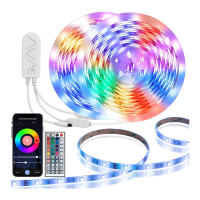
• Yes, you can control with control box or IR remote control.


 To Next Page