11 12
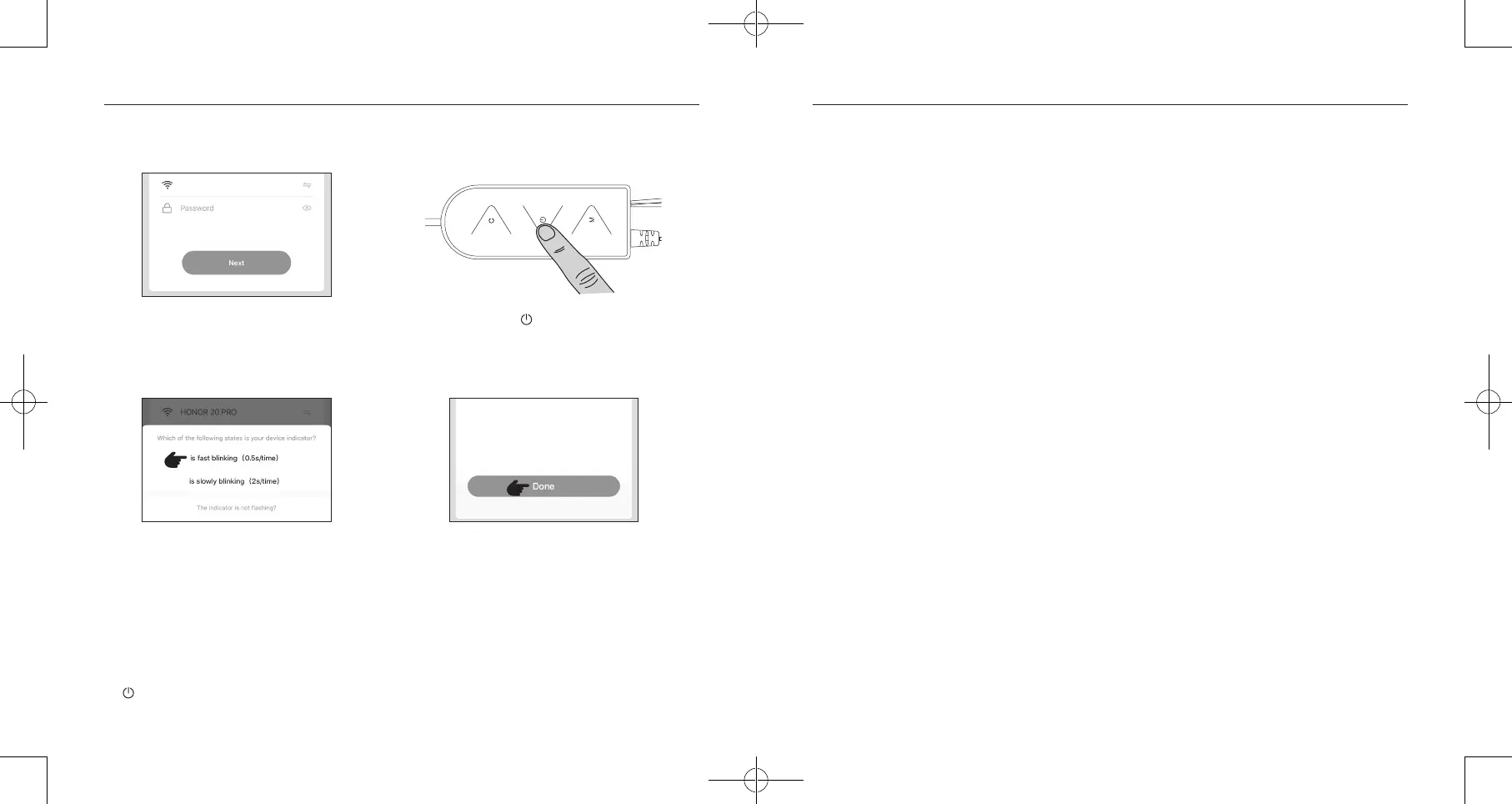
7. Once successfully connected, tap “Done” to
start controlling your strip light with app.
4. Select 2.4GHz Wi-Fi network and enter
the password.
5. Press and hold on the Control Box for 5
seconds until the strip light flashes 0.5s/time.
6. Select “0.5s/time” on app and wait for
device adding.
Note:
1. Make sure your phone and strip light are connected to the same and secure 2.4GHz Wi-Fi network.
2. If pairing failed or you want to pair with another account, please reset by pressing and holding
on the Control Box for 5 to 10 seconds. Then pair again as instructed.
Voice Control Your Strip Light
Link “TaoTronics” to Amazon Echo
1. Download “Amazon Alexa” app from the App Store (iOS devices) or Google Play (Android devices).
2. Connect your Echo dot with Amazon Alexa, download "TaoTronics" app.
3. Log in your Amazon Alexa, choose "Skill" then search for "TaoTronics" and click "Enable".
4. Enter your account and password to link “TaoTronics” to Alexa.
5. Make sure your strip light has added in the APP, you can now control the light via Echo.
Alexa Supported Commands
1. Turn ON/OFF Light
• “Alexa, turn on {light name}” • “Alexa, turn off {light name}”
2. Dim Light
• “Alexa, dim {light name} to 50 percent” • “Alexa, set {light name} to 80 percent”
3. Change Color
• “Alexa, set {light name} to red” • “Alexa, change {light name} to color blue”
Note:
Voice control is available only when the strip light is connected to Amazon Alexa or Google Home.
XXXXX-2.4G


 To Next Page