P r o T r a x & M a x T r a x S a w T a b l e s
10
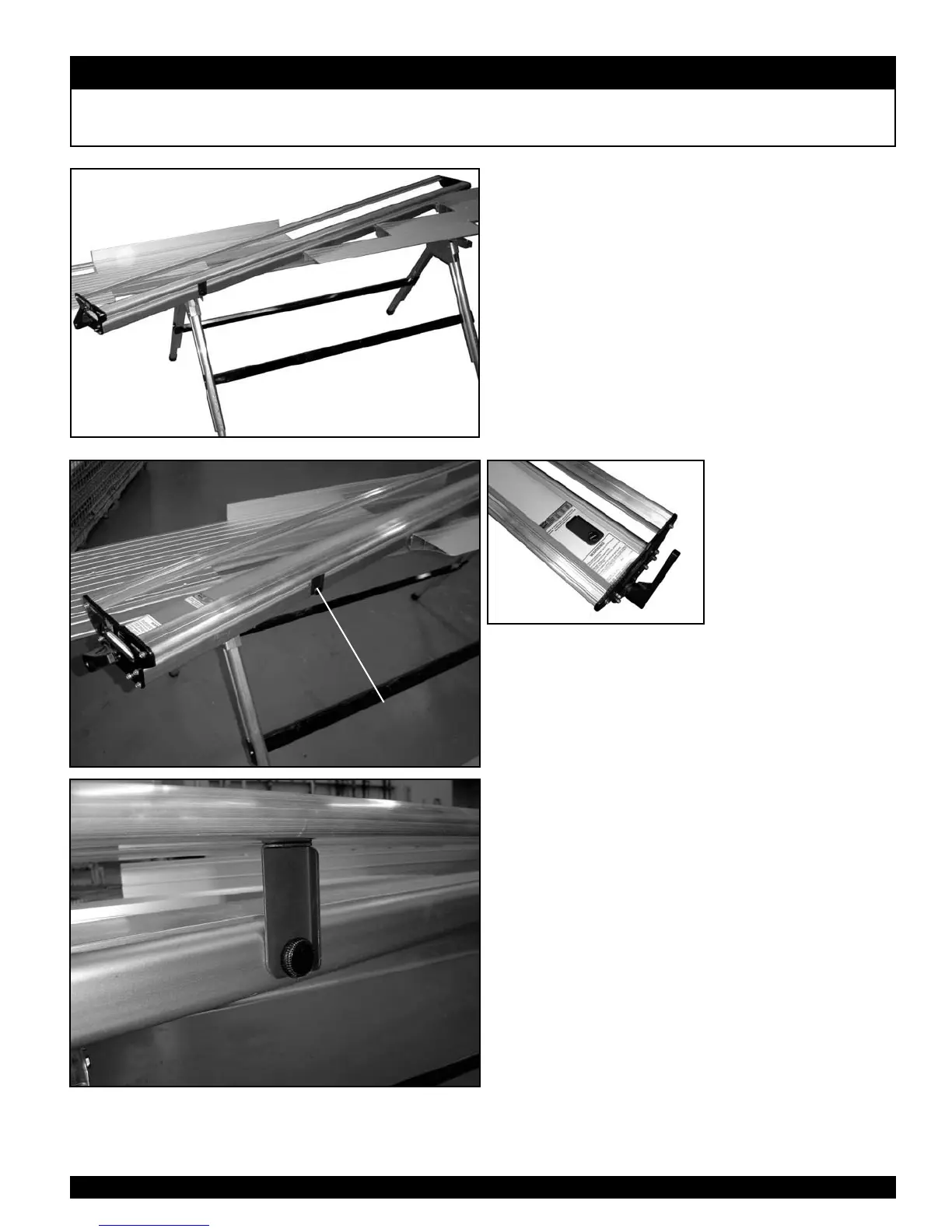
Using the MaxTrax Saw Table: Angle Cutting and 3/12 Pitch
ORIENTATION OF
BOOM SUPPORT
WHEN BEING USED
Follow Steps 1-3 of “Using the
ProTrax Multi-Angle Saw Table:
Angle Cutting” (page 7) or
“Using the ProTrax Multi-Angle
Saw Table: Cutting 3/12 Pitch”
(page 8). The MaxTrax has Deck
Extenders that need to be against
the Boom when cutting. Slide the
Deck Extenders up to the Boom as
shown in the figure at right.
Since the Boom of the MaxTrax is
8 feet long, cutting an angle allows
the Boom to flex. Remove the Boom
Support from the top of the Boom
and install it on the operator side.
See figures at left.
BOOM SUPPORT ON
OPERATOR SIDE


 To Next Page