8
A
D
ALL
B
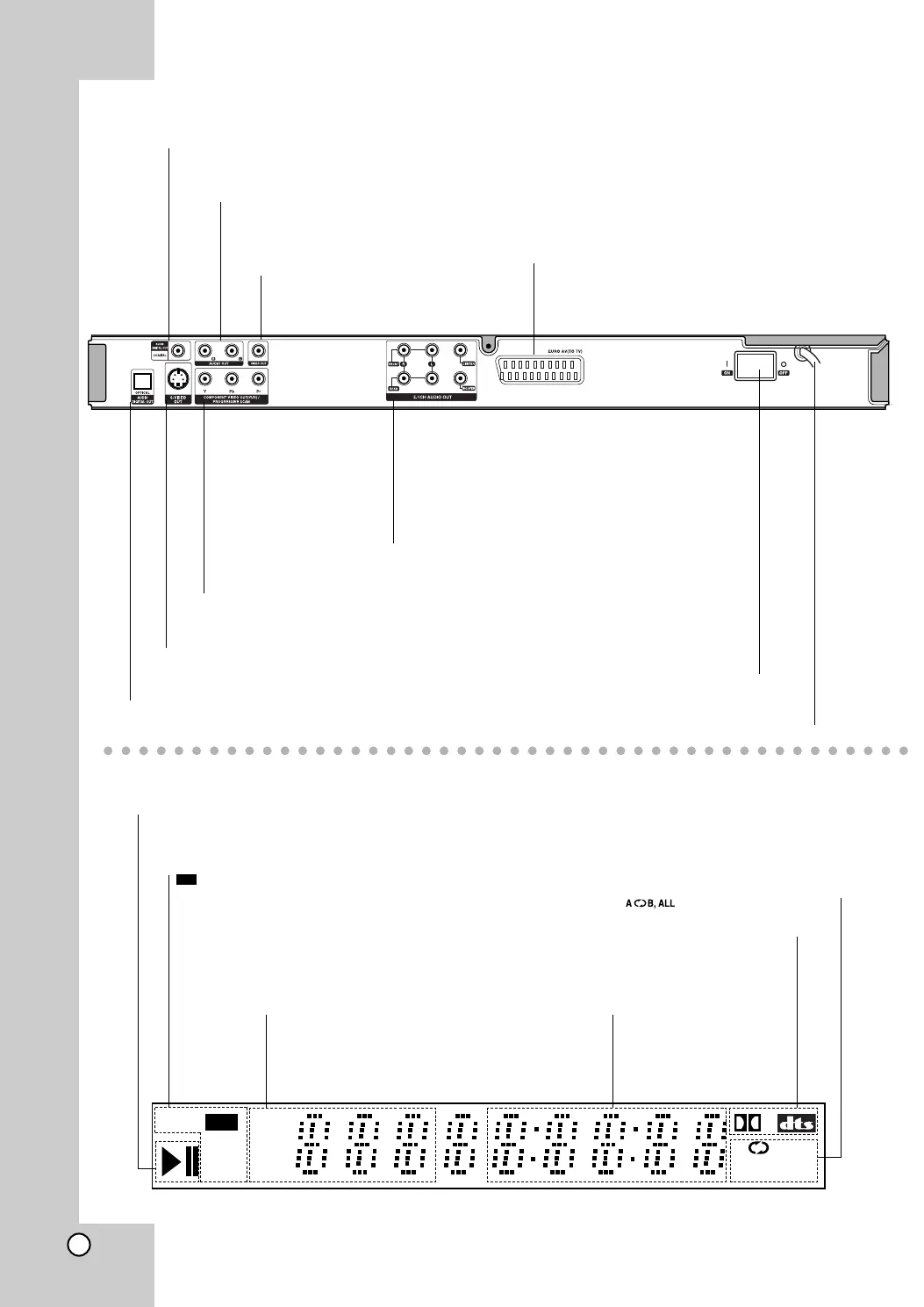
DVDS VCD CHP
CD TRK
MP3
Indicates current player
function (Play, Pause)
DVD inserted
CD Audio CD inserted
VCD Video CD inserted
SVCD Super Video CD inserted
MP3 MP3 or WMA disc inserted
DVD
CHP/TRK Indicates
current chapter or
track number
Indicates total playing
time/elapsed time
Indicates encoding
DTS and Dolby digital
of the current disc.
Display Window
Indicates repeat mode
Rear Panel
COAXIAL (Digital audio out jack)
Connect to digital (coaxial) audio equipment.
AUDIO OUT (Left/Right)
Connect to an amplifier, receiver,
or stereo system.
VIDEO OUT
Connect to a TV with video inputs.
OPTICAL (Digital audio out jack)
Connect to digital (optical) audio equipment.
AC Power Cord
Plug into the power source.
S-VIDEO OUT
Connect to a TV with S-Video inputs.
COMPONENT/PROGRESSIVE SCAN VIDEO OUT
Connect to a TV with Y Pb Pr inputs.
5.1 CHANNEL AUDIO OUT
Connect to a 5.1 channel receiver
– center speaker connection
– subwoofer connection
– front speakers connections
– rear (surround) speakers connections
Euro AV (SCART) Jack
Connect to a TV with SCART jack.
Main POWER switch
Switches the main power
of player ON and OFF.



 To Next Page