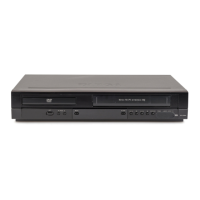
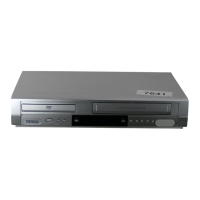
Need help?
Do you have a question about the Targa DPV-5200 Series and is the answer not in the manual?
Explains how to tune TV channels via RF cable or SCART.
Guides initial setup and tuning for first-time VCR use.
Details manual clock setting for time and date synchronization.
Explains how to adjust the color system settings for optimal display.
Introduces navigation and features accessible via the main menu.
Guides automatic TV station tuning using the ACMS feature.
Explains manual TV station tuning for weak signal areas.
Provides steps to reorder stored TV stations.
Explains how to remove unwanted TV stations from the list.
Shows how to view playback details of the loaded disc.
Guides through adjusting picture, sound, and menu settings.
Explains basic navigation within the DVD setup menus.
Sets display and menu languages for VCR and DVD.
Configures TV aspect ratio and display modes.
Explains enabling progressive scan for higher video quality.
Selects output based on TV connection type (YPbPr, RGB).
Configures audio output settings for various audio systems.
Sets up parental control features, rating, and password.
Sets the DVD regional code for playback compatibility.
Adjusts PBC, Auto Play, and DivX(R) VOD settings.
Basic steps for inserting and playing video cassettes.
Explains automatic tracking and manual adjustment for picture quality.
Feature to skip commercial breaks during tape playback.
Automatically adjusts picture quality based on tape condition.
Guides setting up instant recordings for a set period.
Simplifies timer recording using PlusCode numbers.
Step-by-step guide for setting timer recordings via OSD.
Explains PDC for automatic adjustment of timer recording times.
Details VCR's Hi-Fi stereo and NICAM sound capabilities.
How to display VCR time, tape counter, and other status info.
Using the tape counter to stop playback/recording at a set point.
Guides connecting and setting up an external decoder.
Explains how to check for and interpret error messages.
How to record and play wide screen (16:9) programs.
Activates economic power-saving mode.
Records audio/video from external sources like camcorders.
Instructions for dubbing DVD content onto VHS tapes.
Key notes on VCD PBC, zoom, angle switching, A-B repeat.
Details 3D Surround and Time Search functions.
How to set, recall, and clear playback markers.
Player memorizes last viewed scene for automatic recall.
Activates screen saver after periods of inactivity.
Stores and plays favorite tracks from discs.
Sets repeat modes for programmed track lists.
How to remove individual tracks from a program list.
Clears all tracks from the program list.
Navigates between files during JPEG playback.
Enlarges the video image of JPEG files during viewing.
Rotates JPEG images clockwise or counter-clockwise.
Notes on limitations and requirements for JPEG disc playback.
Details limitations and requirements for DivX disc playback.
Explains CPRM copy protection system for recordable media.
Guidance on unit care, cleaning, and when to contact service.
 General
| Brand | Targa |
|---|---|
| Model | DPV-5200 Series |
| Category | DVD VCR Combo |
| Language | English |

 To Next Page