Need help?
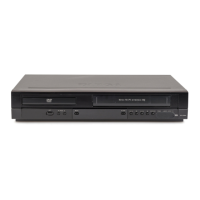
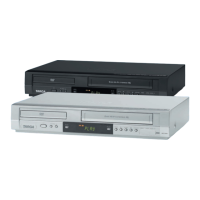
Do you have a question about the Targa DPV-5400x and is the answer not in the manual?
Controls for disc access, unit power, and VCR/DVD mode.
Buttons for playback, chapter navigation, and status display.
Cinch connectors for video and audio input on the front.
Connect aerial, TV video/audio, and component video.
Connect to amplifiers, decoders, and digital audio equipment.
Connect AC power source and RF output to TV.
Power switch and disc tray open/close controls.
Controls for switching between TV/VCR and input sources.
Buttons for playing, pausing, stopping, and searching.
Controls for navigating menus, selecting items, and accessing setup.
Buttons for audio, subtitle, angle, zoom, and display settings.
Instructions for installing and maintaining remote control batteries.
Read instructions, avoid water, use dry cloth, ensure ventilation, avoid heat.
Use correct power cord, avoid tripping, disconnect during storms, unplug when not in use.
Handle batteries correctly, avoid mixing, dispose properly.
Protect from liquids, prevent exposure to rain/moisture, contact qualified personnel for service.
Class 1 Laser Product warning, avoid direct laser beam exposure.
Consumer electronics, private use, avoid outdoor/tropical climates, CE conformity.
Warnings about electric shock, fire, and product damage; explains symbols.
European directive for electronic waste disposal.
Avoid overloading outlets, protect cords, ensure accessibility for disconnection.
Statement of compliance with EMC and Low-voltage directives.
Explains symbols used in the manual and provides important notes.
Guidelines for handling, storing, and cleaning discs to maintain quality.
How to switch between DVD and VCR output on the TV.
Information on disc types, including compatibility notes.
Lists playable disc formats like DVD, Audio CD, MP3, WMA, DivX, JPEG.
Details on disc format compatibility and copyright.
Explains how regional codes affect DVD playback.
Legal restrictions on copying and broadcasting copyrighted material.
Controls for disc access, unit power, and VCR/DVD mode.
Buttons for channel selection and opening/closing the disc tray.
Explains the status indicators shown on the display.
Buttons for playback, search, and DVD/VCR mode selection.
Cinch connectors for video and audio input on the front.
Power switch and disc tray open/close controls.
Controls for switching between TV/VCR and input sources.
Buttons for playing, pausing, stopping, and searching.
Controls for navigating menus, selecting items, and accessing setup.
Buttons for audio, subtitle, angle, zoom, and display settings.
Instructions for installing and maintaining remote control batteries.
Connect aerial, TV video/audio, and component video.
Connect to amplifiers, decoders, and digital audio equipment.
Connect AC power source and RF output to TV.
Connecting to TV via SCART, RCA, or RF aerial.
Connecting component video for higher picture quality.
Setting up progressive scan for HD-Ready TVs.
Limitations and requirements for progressive scan output.
Connecting to amplifier for stereo or Pro Logic audio.
Connecting digital audio out to amplifiers with decoders.
Benefits of digital multi-channel connection for sound quality.
Note on DTS digital output behavior due to licensing.
Automatic tuning of TV stations using ACMS.
Manual tuning for weak signals and assigning station names.
Manual setting of date and time for the VCR.
Adjusting the colour system and RF audio settings.
How to open and close the main menu using the remote.
Explanation of various menu options like REC, PR SET, ACMS, SET, SYS.
Performing automatic tuning and time/date setting.
Accessing the manual tuning settings.
Tuning channels, selecting standard/cable, and naming stations.
Fine-tuning signals and confirming station placement.
Rearranging the stored TV station order.
Removing unwanted TV stations from memory.
Showing playback information like title, chapter, time, audio, subtitle.
Accessing and navigating the DVD setup menu for adjustments.
Basic operation of the DVD player using the remote control.
Setting the language for menus and information displays.
Selecting preferred audio tracks, subtitles, and disc menus.
Adjusting picture aspect ratio (4:3, 16:9) and display mode.
Enabling progressive scan for higher quality pictures and associated warnings.
Selecting video output type based on TV connection.
Configuring audio output for different sound systems.
Adjusting sample frequency and dynamic range control for audio.
Enabling vocal feature for karaoke DVDs.
Setting parental controls, rating levels, and unlocking content.
Setting and managing the parental control password.
Setting the area code for DVD playback compatibility.
Accessing and changing DivX settings.
Information on renting/purchasing videos via DivX® VOD service.
Loading, playing, and stopping video cassettes.
Automatic tracking adjustment for better picture quality.
Playing at double speed, slow motion, and picture search.
Skipping commercials during tape playback.
Automatically adjusting picture for optimal playback.
Recording immediately for a set period or until the tape ends.
Using LP mode for extended recording time with slight quality loss.
Choosing input sources like SCART, AV2, or front AV for recording.
Pausing and stopping the recording process.
Using PlusCode numbers for simplified timer recording.
Inputting PlusCode numbers to set up recordings.
Choosing tape speed (SP, IP, LP) and input source.
Using PDC to adjust timer recording times.
Setting up to seven timer recording events per month.
Selecting station, date, start/end times for recording.
Using daily or weekly recording schedules.
Managing PDC and selecting recording speed.
Setting additional timer events and checking details.
Using standby mode for recording and power saving.
Modifying or removing existing timer recording events.
Managing conflicts when timer events overlap.
Recording and playback of Hi-Fi stereo and NICAM sound.
Displaying time, counter, tape status, and operational modes.
Using the tape counter for tracking recordings and auto-rewind.
Connecting and configuring an external decoder for pay-TV.
Identifying potential problems with the DVD+VCR.
Recording and playing back 16:9 aspect ratio programs.
Activating an economic power save mode.
Choosing input sources like SCART, AV2, or front AV for recording.
Setting SP/LP mode and starting recording.
Transferring content from a DVD to a VHS tape.
Restrictions on copying Macrovision encoded DVDs.
Button functions for opening/closing tray, pause, playback, and search.
Selecting repeat modes and A-B sequence playback.
Enlarging video images and random playback of tracks.
Accessing title menus and disc menus for navigation.
Selecting different camera angles and subtitle languages.
Choosing different audio languages or tracks.
Notes on repeat playback, zoom, angle switching, and A-B repeat.
Starting playback from a specific time on the disc.
Entering, recalling, and clearing marked playback points.
Player memorizes last scene; screen saver activates after inactivity.
Inserting and playing files from CDs and media.
Displaying track information for MP3/WMA files.
Creating and playing custom track playlists.
Selecting repeat modes for programmed tracks.
Removing individual tracks or the entire program list.
Browsing folders and selecting JPEG files for viewing.
Setting up and viewing images in a slide show format.
Pausing slide shows, zooming, and rotating images.
Playing MP3 music while viewing JPEG files.
Information on file size, format, and naming conventions for JPEG discs.
Navigating folders and selecting DivX movie files.
Notes on DivX playback, including resolution and subtitle display.
Troubleshooting subtitle display issues for DivX movies.
Restrictions on DivX file resolution, subtitle naming, and frame rate.
Lists playable DivX video and subtitle file formats.
Playing DVD-Video format discs recorded and finalized.
Playing discs recorded using the Video Recording (VR) format.
Information on unfinalized discs and CPRM copy protection.
Instructions for packing the unit for shipping.
Guidelines for cleaning the unit's exterior surfaces.
Using a soft cloth and mild detergent for cleaning.
Regular inspection and maintenance for optimal performance.
Problems with power, no picture, or unit not working.
Issues with no sound, poor picture, or disc not playing.
Remote control not working, tape insertion problems.
Problems with Hi-Fi sound or NICAM sound recording.
Power requirements, dimensions, mass, temperature, and timer.
Laser, video head system, signal system, and frequency response.
Details on audio/video inputs and outputs for DVD and VCR.
 General
| Type | DVD VCR Combo |
|---|---|
| Brand | Targa |
| Model | DPV-5400x |
| DVD Player | Yes |
| VCR Player | Yes |
| Remote Control | Yes |
| Playable Media Format | DVD |
| Outputs | Composite Video, Stereo Audio, SCART |
| Inputs | Composite Video, Stereo Audio, SCART |
| Connectors | Antenna In, Antenna Out |

 To Next Page