EasyManua.ls Logo

Targa External network hard disk - Page 15

Targa External network hard disk
115 pages
Print Icon
To Next Page IconTo Next Page
To Previous Page IconTo Previous Page
Loading...
English Targa NDAS 500 eSATA
14
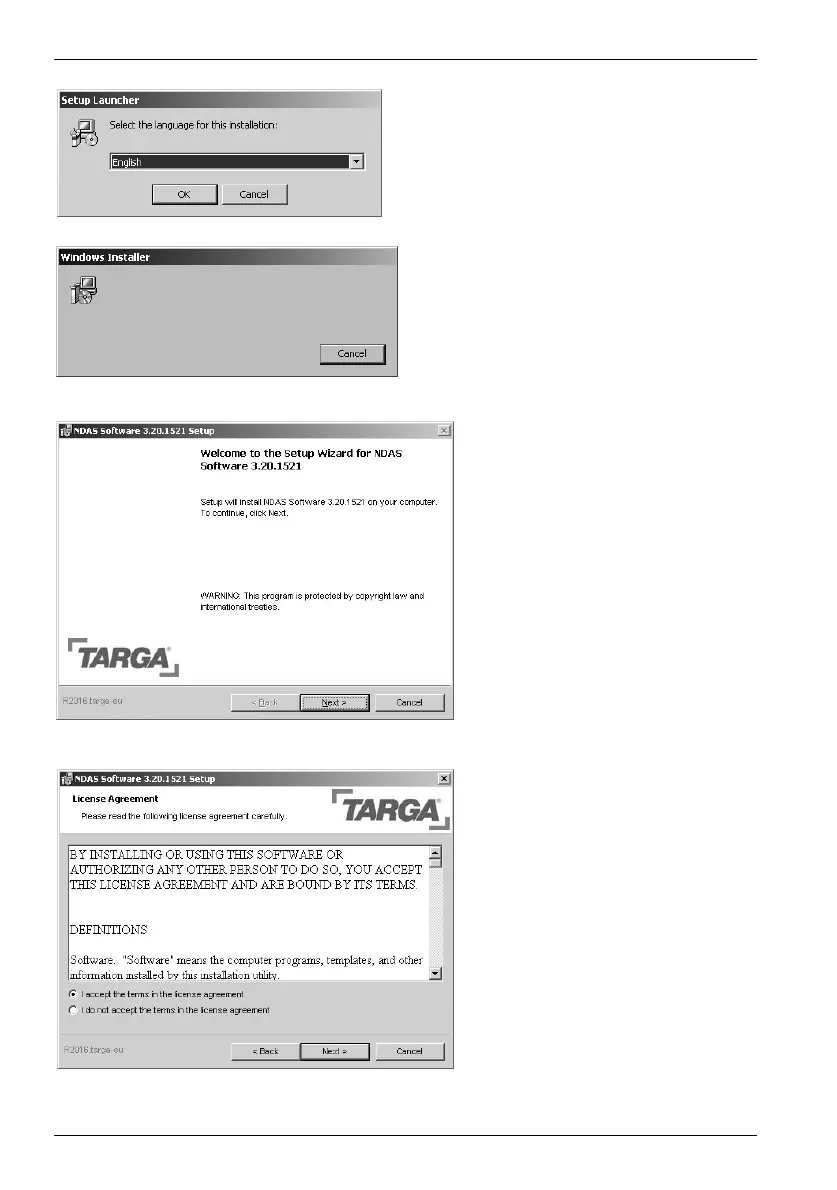
First select the installation language
and then click OK.
The "Install Shield Wizard" appears:
please wait.
To launch installation, click on
Next.
Mark the point "I accept the
terms in the license agreement"
and click
Next.

Table of Contents

Other manuals for Targa External network hard disk

Related product manuals