English Targa NDAS 500 eSATA
22
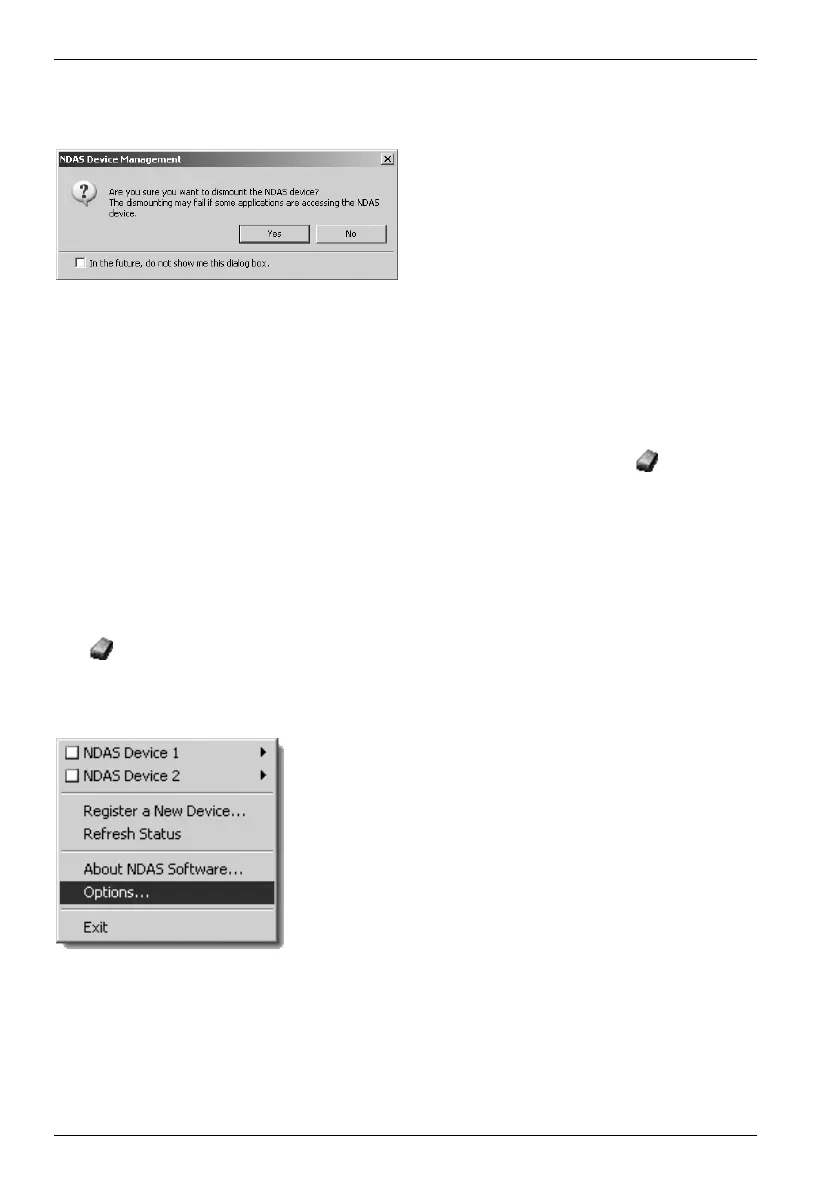
When you disconnect (Unmount) the Targa DataBox NDAS 500 eSATA displays the
following message:
Confirm with Yes when you want to disconnect the Targa DataBox NDAS 500 eSATA
from your computer and have made sure that no applications are accessing data on the
Targa DataBox NDAS 500 eSATA.
You can suppress this message the next time you disconnect by marking "in the future,
do not show me this dialog box".
To connect the Targa DataBox NDAS 500 eSATA again, click on the
icon in the
task bar, select the device (in the example, NDAS Device 1) and click on Mount (Read
Only) to connect the Targa DataBox NDAS 500 eSATA with Read-only access, or on
Mount (Read/Write), to grant full access to the Targa DataBox NDAS 500 eSATA.
Further Options for Network Connections
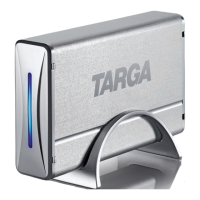
If required, you can make further settings. To do so, click with the left mouse button on
the
icon in the task bar and select the menu item Options by left-clicking once
again (see figure below).
If applications have been saved onto
your hard disk and are currently being
used, disconnection may fail.
Click on Options to make further settings.


 To Next Page