Targa NDAS 500 eSATA English
23
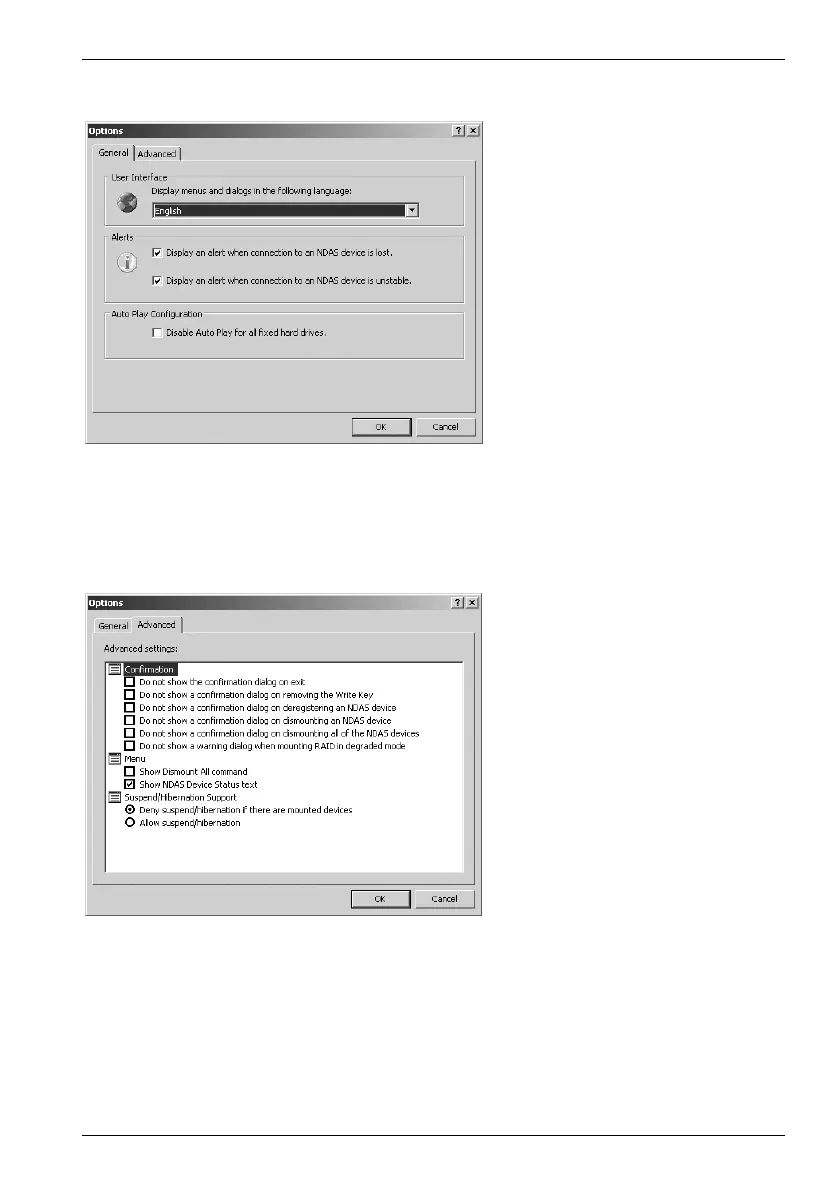
The following menu will appear:
Under User Interface you can change the display language for the menus. The
configuration under Alerts offers you the possibility of suppressing notifications of
interrupted or unstable connections by removing the corresponding check marks. With
Auto Play Configuration you can enable or disable the automatic display of NDAS
devices.
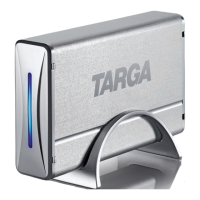
Below the item Confirmation mark the selection box to activate the corresponding
confirmation dialogue. Under Menu you can activate or deactivate the various display
settings. Suspend/Hibernation Support allows or disallows the computer from
entering Standby mode with mounted devices.
The Menu for General Settings
of the Targa DataBox NDAS
500 eSATA
The Menu for Advanced
Settings of the Targa DataBox
NDAS 500 eSATA


 To Next Page