English Targa NDAS 500 eSATA
26
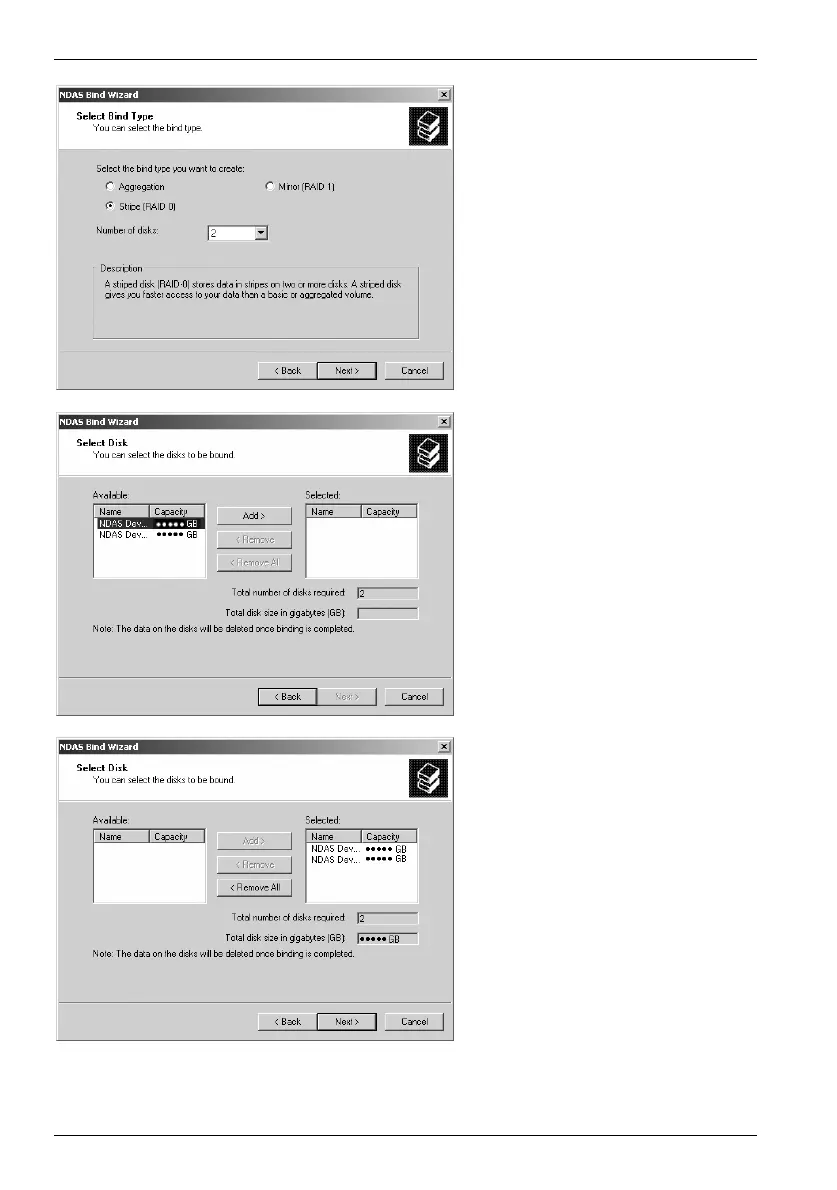
Select the desired action and
specify how many DataBoxes
are to be bound.
Then click on
Next.
Highlight the relevant NDAS
device in the "Available" field
and click the "Add >" button to
add the device to the binding.
Repeat the process until all
desired NDAS devices are
displayed in the "Selected"
field. If you have accidentally
selected a wrong device, you
can highlight it in the "Selected"
field and delete it from the
binding using the "< Remove"
button.


 To Next Page