Targa NDAS 500 eSATA English
29
Click on "Finish" in the next window to finish the process.
The list entry changes as follows:
Click here with the right mouse button
Configure a partition by clicking on the white area (see figure) with the right mouse
button. The following context menu will appear:
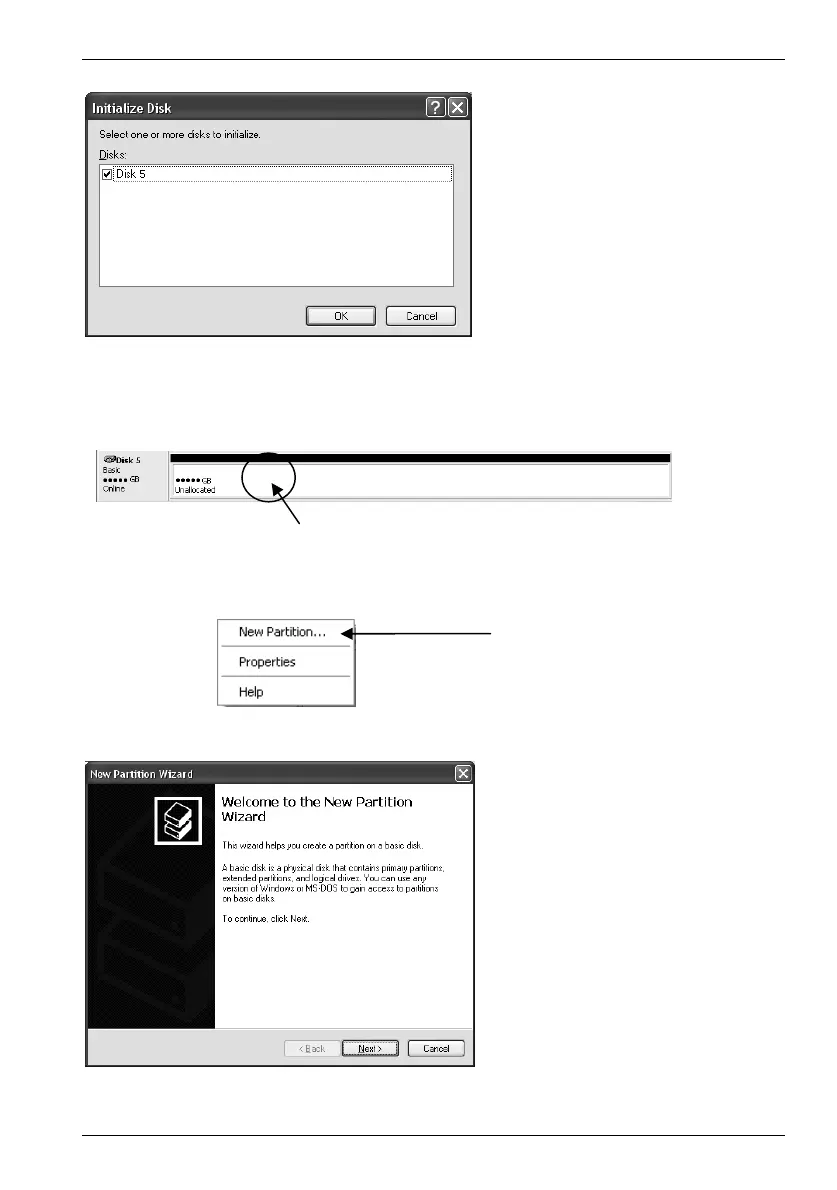
After the Wizard starts a
window appears where all the
drives are listed that have not
yet been initialized. Select the
desired entry with a left click
(e.g. Disk 5) and then click on
OK.
Choose the menu option "New
Partition…" by clicking with the
left mouse button.
A Wizard appears to help
configure a new partition. To
start, click Next.


 To Next Page