Targa NDAS 500 eSATA English
31
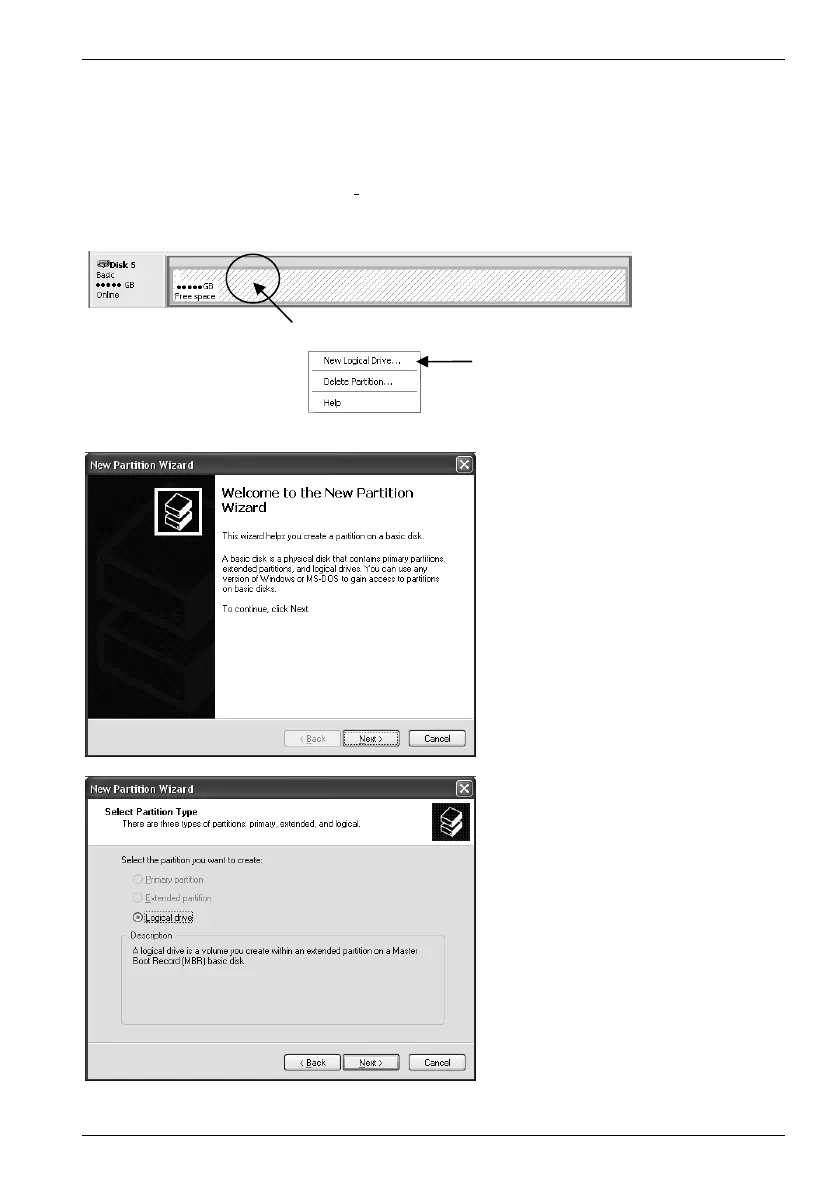
In the list entry the "Free space" in the Disk Management is shown. The configured and
enlarged partition now serves to hold new logical drives. Right-click on the free storage
memory to invoke a context menu. Choose the menu option "New Logical Drive…" by
clicking with the left mouse button.
Click here with the right mouse button
Left-click to start the Wizard
The Wizard appears to help
configure a new partition. To
restart, click Next.
At this point, "Logical Drive" is
the only available option. Then,
click Next.


 To Next Page