3 4
Help with setup: Keyboard is not working
• Charge the keyboard.
• Restart your Bluetooth device and reopen your keyboard, or press Fn+Shift+Del to reset keyboard.
• Press Fn + one of to select your Bluetooth device.
• After pairing for the first time, your device will automatically connect to the keyboard within 3-5
seconds the next time you turn the keyboard on.
• In case of connection failure, delete the keyboard from the bluetooth menu of your device, and try
repairing the keyboard to your device.
Power saving mode
When paired, the keyboard will enter into sleep mode after being idle for 30 minutes. To activate the
keyboard, press any key and wait 3 seconds. If unpaired, the keyboard will enter sleep mode after 15
seconds.
Function keys
1 2 3 4 5 6 7 8 9 10 11 12 13
14
15
16
17 18 19 20 22 23 21
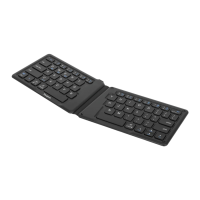
Targus Wireless Folding Keyboard Targus Wireless Folding Keyboard



 To Next Page