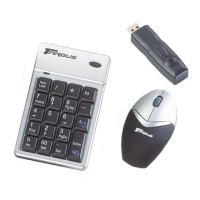
Targus wireless keypad and opitcal mouse combo
7
Home
NumLock on - enters “7” on the display
NumLock off - emulates the Home key
8
NumLock on - enters “8” on the display
NumLock off - moves the cursor up one line
of text
9
PgUp
NumLock on - enters “9” on the display
NumLock off - emulates the Page Up key
+
=
NumLock on
NumLock off
NOTE: THE NUMLOCK KEY ON YOUR COMPUTER WILL NOT AFFECT THE
NUMLOCK STATUS OF THE KEYPAD.



 To Next Page