Targus Wireless Optical Mouse
4
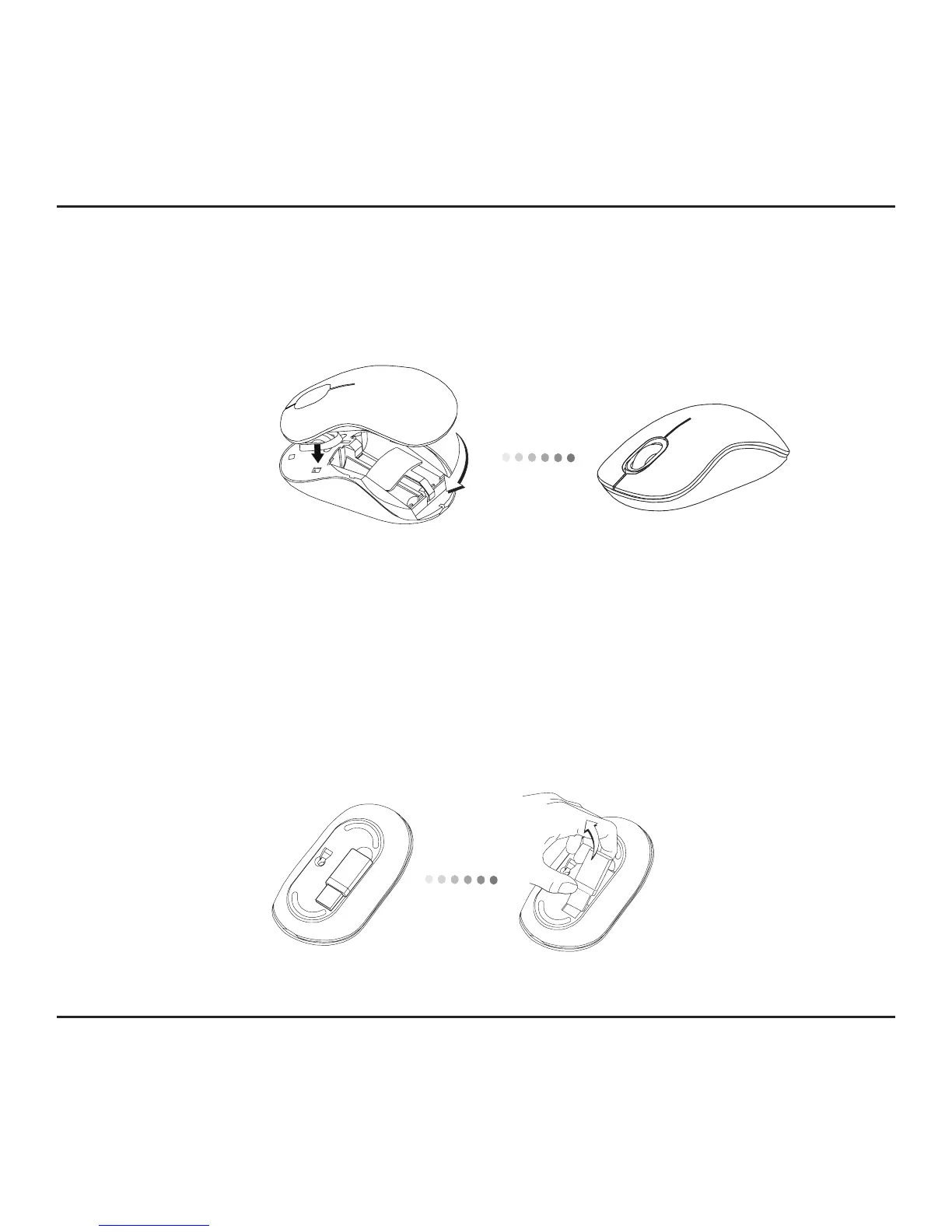
3. Insert two AA-size batteries, making sure that the positive (+) and
negative (-) ends of each battery match the polarity indicators inside
the battery compartment.
4. Replace the battery cover, carefully fit the cover until it clicks into place.
Establishing the Connection
(A) Remove the USB receiver from the bottom of the mouse.



 To Next Page