Need help?
Do you have a question about the Targus AVC041 and is the answer not in the manual?
Lists the items included with the webcam, such as the camera itself, protection cover, and user guide.
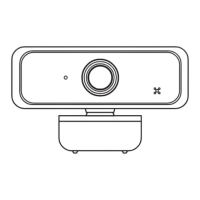
Turn the camera mount, point it at the display, and snap the rear end onto the screen.
Attach the Spyguard Protection Flip cover over the camera lens if desired for privacy or protection.
Connect the USB cable to the computer to establish power and data connection.
Provides key technical details including resolution, refresh rate, sensor type, lens, and compatible operating systems.
States that the device complies with FCC Rules, subject to conditions about harmful interference.
Confirms compliance with UK legislation including Electromagnetic Compatibility and Hazardous Substances regulations.
Confirms compliance with EU EMC directive and EU ROHS directive for product safety and substance restrictions.
Provides website links and phone numbers for technical support across various regions.
Recommends registering the Targus accessory and explains the required information for registration.
Details limited warranty periods for EMEA (2 years) and other regions (1 year) for Targus products.
Explains Targus warranty in context of consumer laws, covering defects, exclusions, and remedies.
States compliance with FCC Rules Part 15, subject to conditions regarding harmful interference.
Declares compliance with essential requirements of Directive 2014/30/EU.
Details FCC limits for Class B devices and measures to correct interference.
States compliance with Industry Canada's licence-exempt RSS, including conditions on interference.


 To Next Page
 General