2 3
folding linefolding line
(UG) AVC041GL-50_410-4229-001B
Folded Size:105mmx 105mm Material: 80gsm woodfree paper
Diecut
Targus 1080P HD Camera Targus 1080P HD Camera
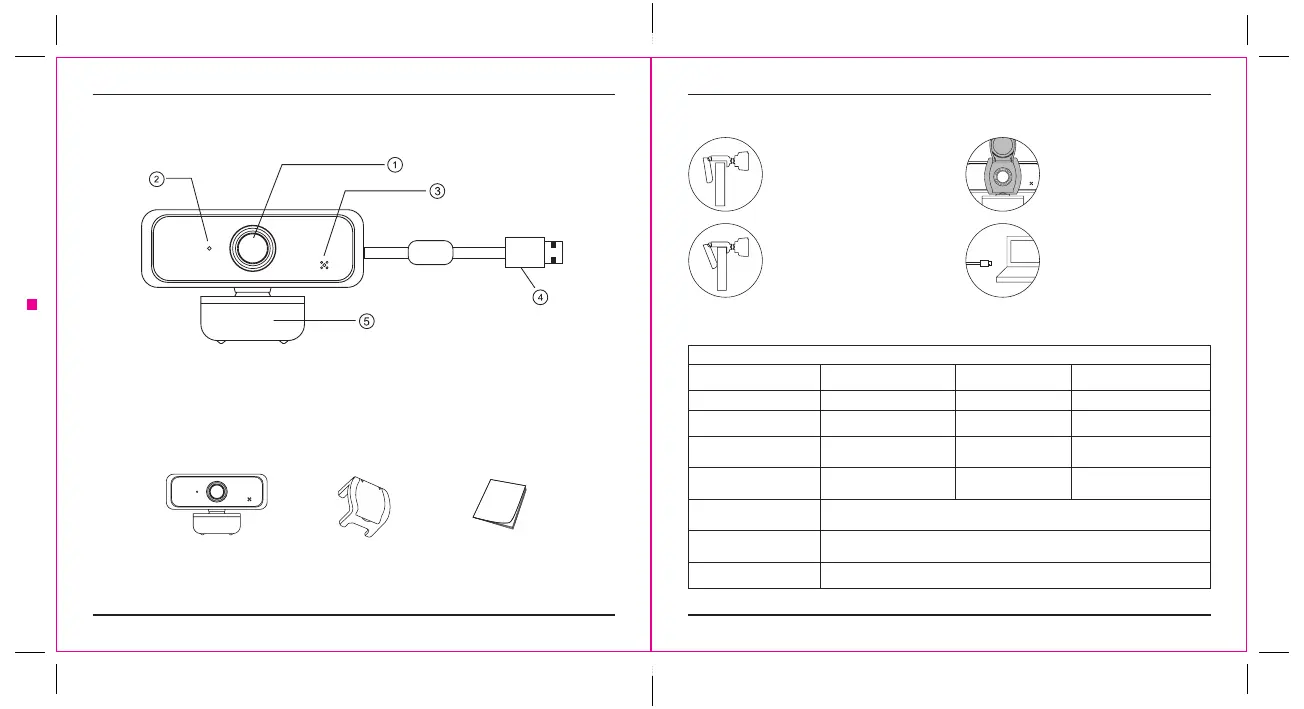
Functional Introduction
1. FULL HD1080P lens
2. Indicator light
3. Microphone
4. USB Port
5. Bracket
Installation steps
1. Turn on the Camera Mount and
point the camera toward the front
of the display.
3. Apply the Spyguard Protection
Flip cover (if desired) over the
camera lens as shown.
2. Press down on the Camera Mount
and snap the rear end of the
screen mount to the back of the
screen.
4. Connect the USB cable to the
computer.
Product accessories:
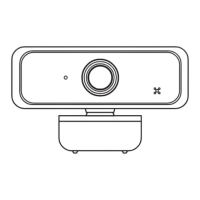
Webcam * 1 User guide * 1Spyguard Protection
Flip Cover * 1
Detail Specication
Webcam Specication
Driver type driver-free (plug and play) USB cable length 150cm
Refresh Rate 50Hz, 60Hz Resolution 1920*1080
Photo format Bmp, Jpg Interface type USB2.0
Senser type 1/3” 2MP sensor Built-in
Sound-absorbing and noise
-reducing microphone
Contrast optimization
engine
Contrast balance Lens
f/2.2,
Viewing angle 73°
Applicable
Support various chat tools and video conferencing software. Such as: QQ /
WeChat / Dingding / Skype / Facebook / Zoom / YouTube / Face Time / TEAMs, etc.
Processor
2
MP image processing chip, supporting various ISP processing algorithms.
And support MJPEG / H.264 / H.265 compression
Supporting Devices Supports Win 11 / Win 10 / Win8 / Win7 / WinXP 2 / MAC OS 10.6



 To Next Page