2
3
Contents
System Requirements
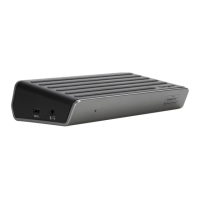
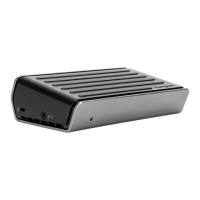
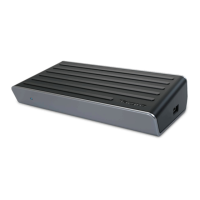
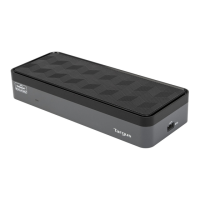
• Targus USB 3.0 SuperSpeed Dual
Video Docking Station
• SuperSpeed USB 3.0 cable
• Driver CD
• AC power adapter
• DVI to VGA and HDMI to DVI
Adapters
Hardware
• PC with an Intel
®
Pentium
®
processor or
equivalent
• CD-ROM drive
• USB 3.0 or 2.0 port
• AC power outlet
Operating System (any of the following)
• Mircosoft Windows Vista
®
with Service
Pack 1 (32/64-bit)
• Mircosoft Windows
®
XP with Service
Pack 2 or 3
• Mircosoft Windows
®
7 (32/64-bit)
Specications
• Dual video ports (1 x DVI-I, 1 x HDMI)
• 2 x USB 3.0 ports (support battery
charging specication version 1.1)
• 4 x USB 2.0 ports
• Gigabit Ethernet
• Audio In/Out ports
• Security lock slot
• 6.5A AC adapter
• 0.6m USB 3.0 cable
Windows XP/Vista Setup
® ®
NOTE: DO NOT CONNECT THE DOCKING STATION PRIOR TO INSTALLING THE DISPLAYLINK DRIVER.
1) Install the included Driver CD.
2) Double click on Setup.exe.
3) Follow the on-screen instructions
until the installation is complete.
4) Connect the Docking Station and
peripherals.
Windows 7 Setup
®
1) Connect the Docking Station to your
laptop.
2) Windows will start installing the DisplayLink
Driver automatically.
3) Follow the on-screen instructions
until the installation is complete.
4) Connect all peripheral devices.
D
C
5
V
U
P
D
V
I
H
D
M
I
NOTE: If the driver installation does not automatically start, discon-
nect the docking station from your laptop, insert the Driver CD, and
click on the Setup.exe le.
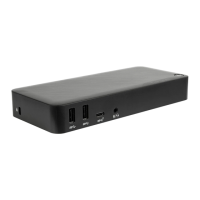
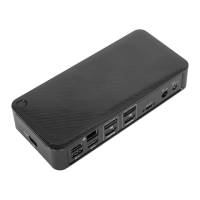
Docking Station Diagram
DC 5V
UP
DVI
HDMI
DC 5V
UP
DVI
HDMI
USB 3.0 Port
USB 3.0 Port
USB 2.0 Ports
USB 2.0 Port
Audio In
Audio Out
Lock Slot
Gigabit
Ethernet
USB to
Laptop Port
AC Power
Adapter
DVI-I
HDMI
DVI to VGA Adapter
HDMI to DVI-DAdapter





 To Next Page