
 Need help?
Do you have a question about the Targus USB-C DUAL VIDEO 4K and is the answer not in the manual?
Details the technical features and ports of the docking station, including video outputs, USB ports, and connectivity.
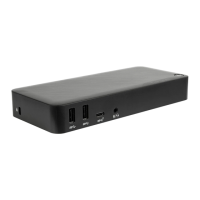
Visual representation of the docking station's ports and connectors, labeling each input and output.
Lists the compatible hardware (e.g., Thunderbolt 3, USB-C) and operating systems for the docking station.
Instructions for installing and configuring the DisplayLink software and drivers on Windows for optimal performance.
Instructions for installing and configuring the DisplayLink software on macOS for external display management.
Instructions for installing the DisplayLink Desktop application on Android devices and enabling USB debugging.
Provides internet and telephone contact details for technical assistance and support.
Information and a URL for registering the Targus accessory after purchase for warranty and support.
Details compliance with FCC Rules and relevant EU directives, including statements on interference.
Statement regarding FCC compliance and potential interference, including notes on testing and user modifications.
Declaration of compliance with essential requirements of EU directives 2014/30/EU and 2014/35/EU.
Outlines the terms and conditions of the Targus three-year limited product warranty.
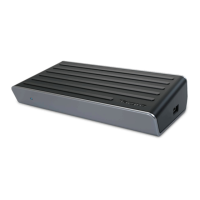
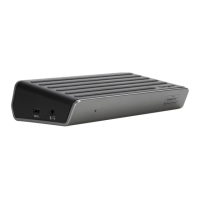
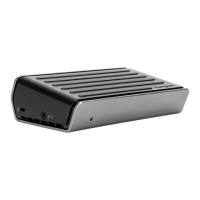
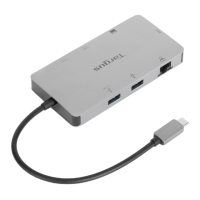
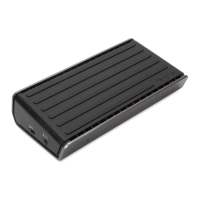
The Targus USB-C Dual Video 4K Docking Station with Power Delivery is a versatile peripheral designed to expand the connectivity and display capabilities of modern laptops and host devices, particularly those equipped with USB-C ports. Its primary function is to transform a single USB-C connection into a comprehensive workstation hub, allowing users to connect multiple external displays, various USB peripherals, network connectivity, and even power their laptop through a single cable. This docking station is engineered to simplify the setup of a productive workspace, whether in an office, home, or remote environment, by reducing cable clutter and enhancing the functionality of the host device.
One of the core usage features of this docking station is its ability to support dual 4K video output. This means users can connect two external monitors, each displaying content at stunning 4K resolution, significantly expanding their visual workspace. This is particularly beneficial for professionals who require extensive screen real estate for multitasking, data analysis, graphic design, or video editing. The docking station offers both DisplayPort (DP++) and HDMI ports, providing flexibility to connect to a wide range of monitors and display technologies. The inclusion of both port types ensures compatibility with most modern displays, allowing users to choose the best connection for their setup without needing additional adapters.
Beyond video, the docking station acts as a robust USB hub. It features multiple USB 3.0 downstream ports, which are essential for connecting a variety of peripherals such as external hard drives, keyboards, mice, printers, and other USB-powered accessories. Some of these USB 3.0 ports are specifically designed to support BC 1.2 charging, meaning they can deliver higher power output to quickly charge smartphones, tablets, or other iOS devices, even when the host laptop is not connected or powered on. This eliminates the need for separate wall chargers for mobile devices, further streamlining the workspace. Additionally, a USB-C downstream port is available for data transfer, allowing users to connect newer USB-C peripherals or flash drives.
Another significant usage feature is the integrated Power Delivery 2.0, which can supply up to 60W of power to the host laptop through the USB-C upstream connection. This means that compatible laptops can be charged directly through the docking station, eliminating the need for the laptop's dedicated power adapter. This single-cable solution simplifies connectivity, as users only need to plug in one USB-C cable to their laptop to gain access to all connected peripherals, external displays, and power. This is particularly convenient for hot-desking environments or for users who frequently connect and disconnect their laptops.
Network connectivity is also a key feature, with a Gigabit Ethernet port providing a stable and high-speed wired internet connection. This is often preferred over Wi-Fi for critical tasks that require consistent bandwidth, such as large file transfers, video conferencing, or online gaming, offering a more reliable and faster connection than wireless alternatives.
For audio needs, the docking station includes 3.5mm audio in/out ports, allowing users to connect a headset, headphones, or external speakers. This is useful for video calls, multimedia consumption, or simply enjoying high-quality audio without relying on the laptop's built-in speakers or a separate USB audio adapter.
The design of the docking station also incorporates practical usage features such as a security lock slot, which allows users to secure the device to a desk or other fixed object, deterring theft in public or shared workspaces. An LED power indicator provides a visual cue that the device is powered on, and a dedicated power ON/OFF button offers convenient control over the docking station's operation.
Maintenance features for this device primarily revolve around software updates and proper connection practices. To ensure optimal performance, users are advised to keep their host PC's display adapter and USB 3.0 drivers up to date. Targus provides DisplayLink Manager software, which is crucial for managing the additional USB displays and ensuring proper functionality across different operating systems. This software handles display orientation, resolution settings, and layout of multiple monitors. Regular updates to the DisplayLink software, available from the Targus website, are recommended to benefit from performance improvements, bug fixes, and compatibility with new operating systems or hardware.
For users with non-USB-C host devices, the inclusion of a USB-C to USB-A adapter is a thoughtful maintenance feature, extending the compatibility of the docking station to a wider range of laptops. While it may not support Power Delivery to the host via USB-A, it still allows users to leverage the video, USB, audio, and Ethernet capabilities of the dock.
Proper connection of all peripheral devices to the docking station before connecting the dock to the host device is a recommended practice to ensure smooth detection and operation. Similarly, ensuring the use of the provided 20.5V, 120W power adapter is critical for stable power delivery to the docking station and any connected devices, including the host laptop if Power Delivery is utilized. Using an underpowered adapter could lead to instability or reduced functionality.
In summary, the Targus USB-C Dual Video 4K Docking Station is designed to be a central hub for a modern workstation, offering extensive connectivity, multi-display support, and power delivery through a single USB-C connection. Its usage features focus on enhancing productivity and simplifying the user experience, while its maintenance aspects emphasize software updates and correct connection procedures to ensure long-term optimal performance.
 General
| Product Type | Docking Station |
|---|---|
| Connectivity Technology | Wired |
| Host Interface | USB-C |
| Video Output | Dual 4K |
| Network (RJ-45) | Yes |
| Audio Line In | Yes |
| Audio Line Out | Yes |
| Power Delivery | 85 W |
| Video Ports | 2 x HDMI, 2 x DisplayPort |
| USB Ports | 1 x USB-C |
| Compatibility | Windows, macOS, Chrome OS |
| Ports | 2 x HDMI, 2 x DisplayPort, 1 x USB-C, 1 x RJ-45, 1 x Audio In, 1 x Audio Out |




 To Next Page