2
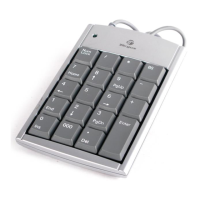
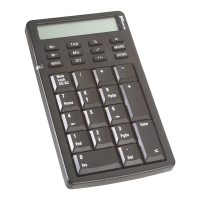
Targus USB Calculator/Keypad
Introduction
Congratulations on your purchase of the Targus USB Calculator/
Keypad. This versatile accessory connects to your computer’s
Universal Serial Bus (USB) port and uses a two-way power
system, incorporating both power from your computer and one
A3, LR41 or V3GA “button” battery. It enables you to:
• Perform standard calculator operations
• Send calculation results to the cursor location in the active
program on your computer (calculator mode only)
• Enter numbers and control cursor movement as you would from
a standard keypad
In addition to this user’s guide, this package contains the Targus
USB Calculator/Keypad.
System Requirements
To use the keypad, your computer must meet the following
hardware requirements and run one of the operating systems listed
below.
Hardware Operating System
•PC with an Intel
®
Pentium
®
processor or equivalent and a hard
disk drive
• Windows
®
98/Me
• 32 MB RAM or higher, depending
on the operating system
• Windows
®
2000/XP
• USB version 1.1 interface


 To Next Page