Contents
TASCAM DP-01 Owner’s Manual 5
1 : Starting out with your DP-01
Getting started
This manual ........................................................................................................................9
Copyright ..........................................................................................................................10
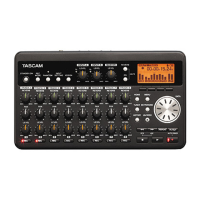
DP-01 Line-up ...................................................................................................................10
What’s in the box ..............................................................................................................10
About the power adaptor ...................................................................................................................10
Startup & shutdown
Starting up the DP-01 .......................................................................................................11
Shutting down the DP-01 .................................................................................................12
The ACCESS light ............................................................................................................12
How to play back demo songs ........................................................................................12
Navigation
The SHIFT key ...................................................................................................................15
Titling .................................................................................................................................15
Connecting your DP-01 to other equipment
The INPUT MODE switch ....................................................................................................................18
Managing your songs
Creating a new song ........................................................................................................20
Storing songs ...................................................................................................................................... 20
Loading a saved song ........................................................................................................................21
Erasing a song .................................................................................................................................... 21
Erasing many songs at one time .......................................................................................................22
Song information ..............................................................................................................22
Additional song operations ...............................................................................................................22
Assigning inputs
Recording
More advanced features ..................................................................................................25
Using marks to locate positions ........................................................................................................25
Punch recording .................................................................................................................................25
Bouncing .............................................................................................................................................25
Track editing ........................................................................................................................................25
Undoing operations ............................................................................................................................25
Mixdown and mastering
Mastering .............................................................................................................................................27
2 : Advanced techniques
Location
Direct location ..................................................................................................................28
Location marks .................................................................................................................28
IN and OUT marks ............................................................................................................29
Using the meters
EQ settings
Punching
Rehearsal ..........................................................................................................................32
Punch recording ...............................................................................................................33
Pre-roll and post-roll times ..............................................................................................33
Bouncing
Repeat
Setting the repeat interval ...............................................................................................35
Working in bars & beats
Tempo setting ...................................................................................................................36
Selecting the time mode ..................................................................................................36
Metronome ........................................................................................................................37
Working with MIDI ............................................................................................................38
MIDI Clock, etc. .................................................................................................................38
MIDI timecode ...................................................................................................................39
Disk management
Selecting the active partition ..........................................................................................40
Formatting a disk .............................................................................................................40
DP-01_OM_E.book 5 ページ 2005年6月13日 月曜日 午後7時14分



 To Next Page