English
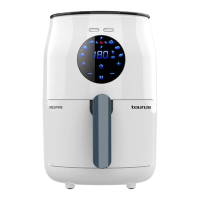
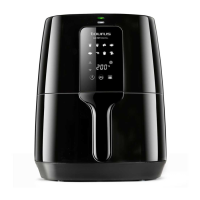
AIR FRYER
AF1300D
DESCRIPTION
A Control panel
1.1. ON button
1.2. Start/pause button
1.3. Menu button
1.4. Temperature and time setting button
1.5. Temperature and time change button
B Air outlet
C Power cable and plug
D Outer container
E Frying basket
F Basket open button
G Basket handle
H Heating and operation indicator lights.
If the model of your appliance does not have the
accessories described above, they can also be
bought separately from the Technical Assistance
Service.
USE AND CARE:
- Fully unroll the appliance’s power cable before
each use.
- Do not use the appliance if its accessories are
not properly tted.
- Do not use the appliance if the accessories
attached to it are defective. Replace them
immediately.
- Do not use the appliance when empty.
- Do not use the appliance if the timer is not
operating correctly.
- Do not move the appliance while in use.
- To keep the non-stick coating in good condi-
tion, do not use metal or pointed utensils on it.
- Disconnect the appliance from the mains when
not in use and before undertaking any cleaning
task.
- Store this appliance out of reach of children
and/or those with reduced physical, sensorial
or mental abilities or who are unfamiliar with
its use
- Turning the thermostat control to the minimum
(MIN) setting does not guarantee that the appli-
ance is switched off completely.
INSTRUCTIONS FOR USE
BEFORE USE:
- Make sure that all the product’s packaging
material has been removed.
- Before using the product for the rst time, clean
the parts that will come into contact with food in
the manner described in the cleaning section.
- NOTE: To achieve the best results, the fryer
has a programmed pre-heat function. The timer
will begin to count down once the appliance
has reached the established temperature. The
“MIN” symbol behind the timer will switch off
when only one minute remains and cooking
time will count down from 60 to 0 seconds.
When cooking has nished, the “MIN” symbol
will light up again and the time display will show
0.
USE:
- Unroll the cable completely before plugging it
in.
- Connect the appliance to an earthed mains
socket.
- The operation indicator light will light up green.
- The control panel ON button will light up white.
- Open the basket and place the ingredients you
wish to fry, roast or cook into the basket.
- Put the pan back into the appliance.
- Note: never use the pan without the basket
inside it.
- Note: always handle the pan by means of the
basket and its handle. Do not touch it if it is hot.
- Press the ON button on the control panel, the
control panel will light up white.
- The control panel will display the pre-set 15
minutes and 180ºC program



 To Next Page