Note: the above parameters originate from《Welding Dictionary》P538, Volume 2 of Edition 2.
4.6 Operational Environment
● Height above sea level is below 1000m.
● Working-environment temperature range: -10
0
C~+40
0
C.
● Relative humidity is below 90 % (20
0
C).
● The machine should not be located at an angle exceeding 15 degrees to the floor level.
● Protect the machine from rain and harsh sunlight.
● The surrounding air-content of dust, acid and corrosive gas should be as low as possible and not
exceed normal standards.
● A distance of at least 30cm between machine and wall should be maintained to ensure sufficient
ventilation.
4.7 Operational Notifications
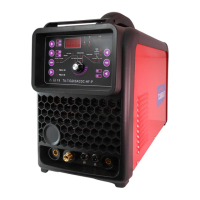
● Read section 1 carefully before attempting to use the Taurus TIG200ACDC-HF-P.
● Connect the earth cable directly to the machine as explained in section 3.5.
● Do not touch the output electrode with any part of your body while switching the machine on.
● Before operating the machine, ensure all people nearby are wearing welding eye protection.
● Ensure ample ventilation around the machine to maintain the duty cycle.
● In the interest of energy saving, the generator engine must be switched off once the operation
has been completed.
● If the built-in protection system shuts off the machine, wait for the problem to be resolved
before attempting to restart. Ignoring this, the range of the problem will be extended.


 To Next Page