6
5.Change Measurement Mode
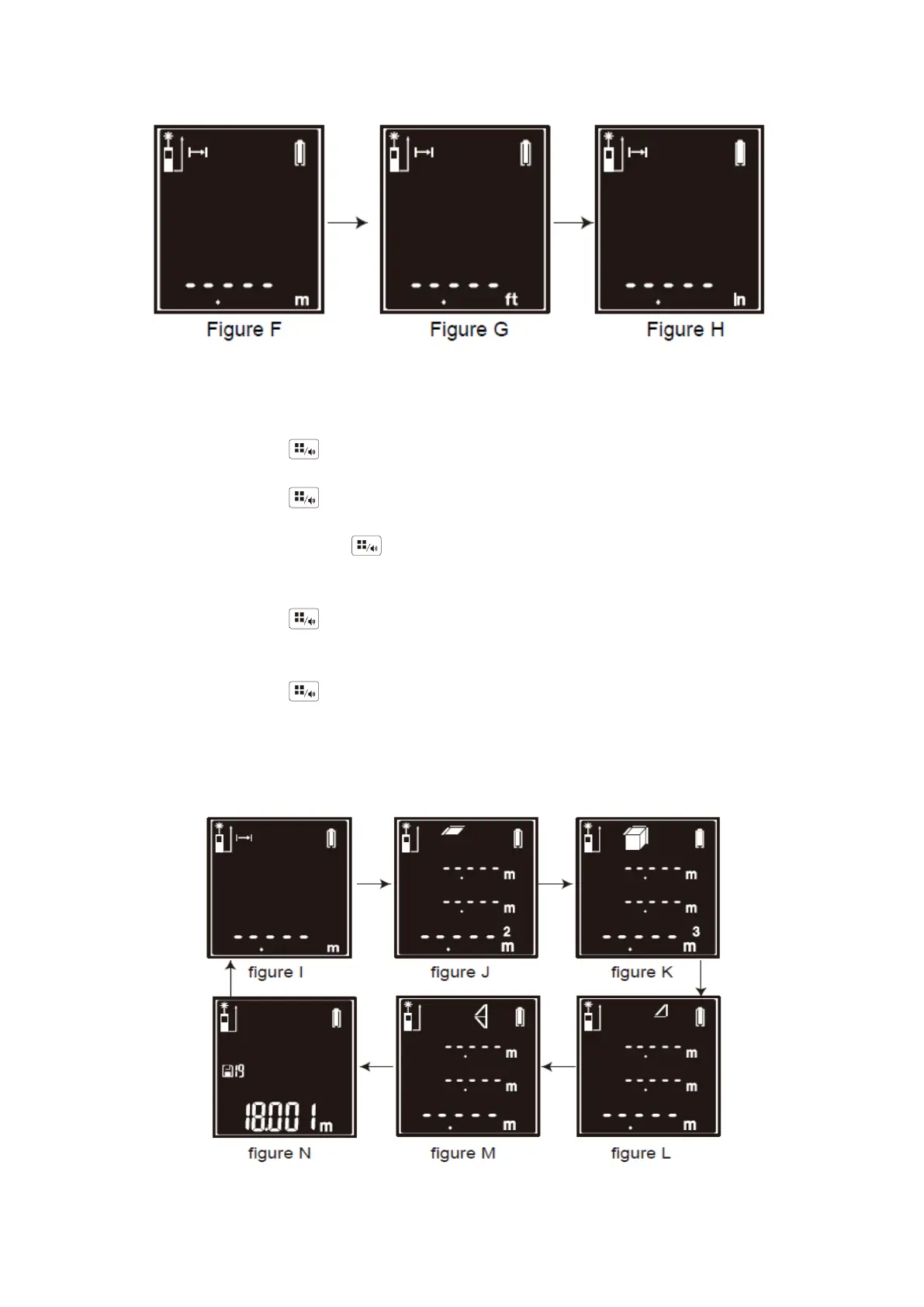
◆ Default setting of measurement is Single Measurement Mode, indication is shown as figure I.
Short-time press to switch Area Measurement Mode, indication is shown as figure J.
◆ Short-time press again to switch Volume Measurement Mode, indication is shown as
figure K. Short-time press again to switch Single Pythagorean Theorem Measurement
Mode, indication is shown as figure L.
◆ Short-time press again to switch Dual Pythagorean Theorem Measurement Mode,
indication is shown as figure M.
◆ Short-time press again to switch Historical Data Review Mode, the last measuring data
will be displayed, indication is shown as figure N.
◆ (Note: In the Historical Data Review Mode, there will be some measuring data that factory
tested. It does not mean this equipment has been used.)


 To Next Page