5
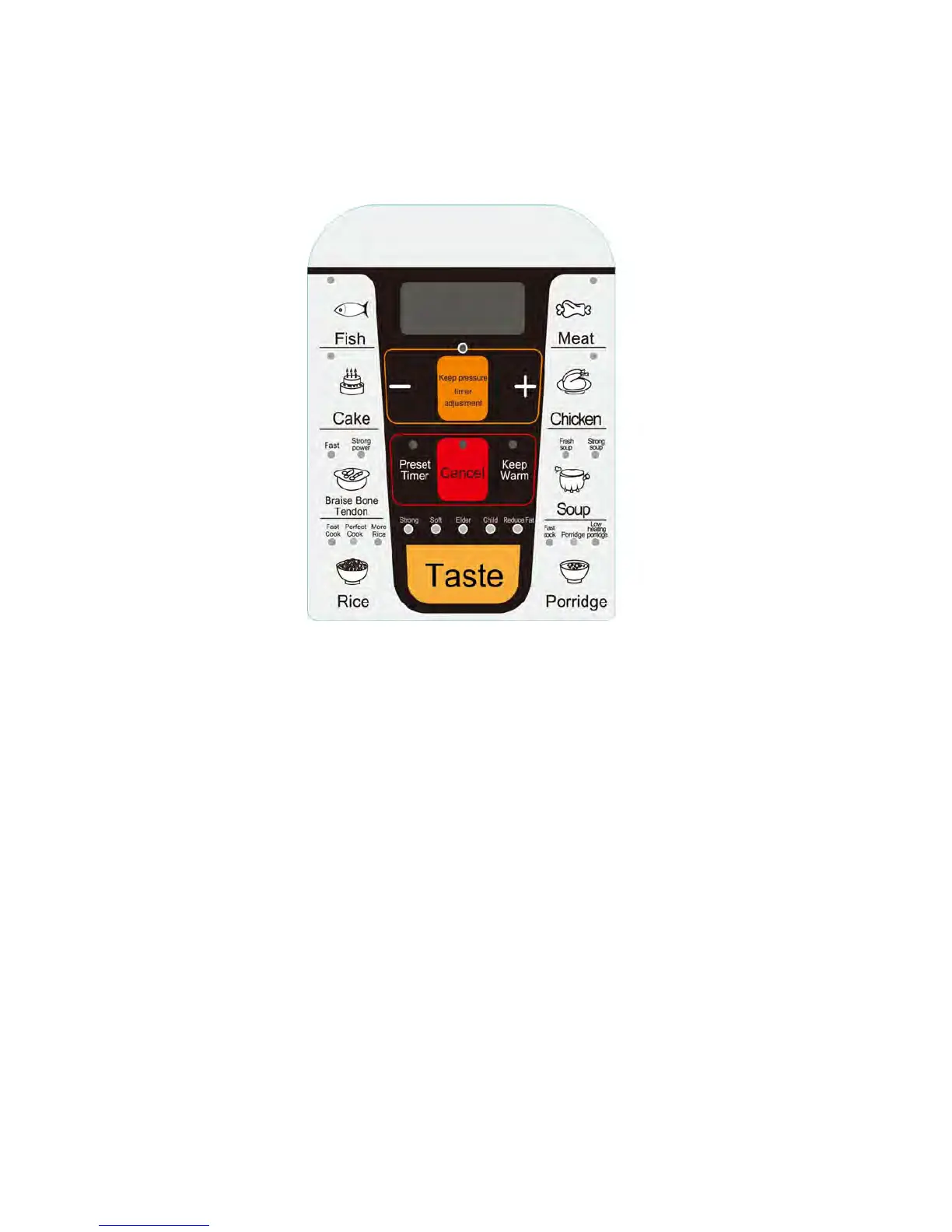
Control Panel Display
Cooking Program Functions
Fish Button: Default setting is 5 minutes, LED display shows “P05”. Press “SELECT TIMER”, “-“ or “+” to
reduce or add cooking time you want.
Cake Button: Default setting is 30 minutes, LED display shows “P30”. Time can not be adjusted..
Braise Bone Tendon Button: Default setting is 35 minutes, LED display shows “P35”. Press “SELECT
TIMER”, “-“ or “+” to reduce or add cooking time you want.
Rice Button: Default setting is 8 minutes, LED display shows “P08”. Press “SELECT TIMER”, “-“ or “+” to
reduce or add cooking time you want.
Meat Button: Default setting is 20 minutes, LED display shows “P20”. Press “SELECT TIMER”, “-“ or “+” to
reduce or add cooking time you want.
Chicken Button:
Default setting is 12 minutes, LED display shows “P12”. Press “SELECT TIMER”, “-“ or “+” to
reduce or add cooking time you want.
Soup Button:
Default setting is 20 minutes, LED display shows “P20”. Press “SELECT TIMER”, “-“ or “+” to
reduce or add cooking time you want.
Porridge Button:
Default setting is 15 minutes, LED display shows “P15”. Press “SELECT TIMER”, “-“ or “+” to
reduce or add cooking time you want.
“-“ Button: Time reducing, press it one time, time reduces 1 minutes.
“+”Button: Time adding, press it one time, time adds 1 minutes.


 To Next Page