EasyManua.ls Logo

Taylor 5721F - User Manual

Taylor 5721F
2 pages
Print Icon
To Next Page IconTo Next Page
Loading...
QUICK USE GUIDE
MODEL # 5721F | Body Composition Scale
Preparation Before Use
1 INSERT THE BATTERIES
2 'CR2032' batteries are included with your scale.
2 YOUR SCALE IS SET AT THE FACTORY TO WEIGH IN POUNDS (LB)
To switch to other units of please refer to the instruction manual.
3 SET THE SCALE IN THE RIGHT POSITION
Use only on a flat and hard floor surface. Do not use on carpets.
4 START-UP THE SCALE
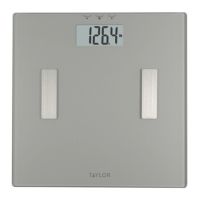
Press firmly one time on the scale platform to start-up the scale. The display shows “0.0
and then turns off. The scale is ready for use.
Setting Up The User Profile Information
Repeat steps 1-7 to set other pre-programmed Memory Locations
3. Select Height
Press the “
s
” or “
t
” key to adjust the height.
Press the “set” button to confirm.
4. Set Age
Press the “
s
” or “
t
” key to adjust the age. Press
the “set” button to confirm.
1.
Press the “
” button to turn the scale on.
2. Set Memory
Press the “
s
” or “
t
” key to select a memory
location (1-8 users). Press the “
set
” button to
confirm.
5. Select Gender
Press the “
s
” or “
t
” key to toggle between the
male (
) & female ( ) icons. Press the “set
button to confirm.
6. Select Normal or Athlete Mode
Press the “
s
” or “
t
” key to toggle between
normal (N) or athlete (A) mode. Press " set " to
confirm all settings.
7. Measuring
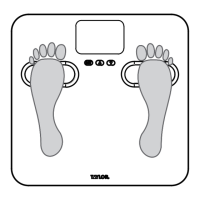
Then the scale shows "0.0". Step on the scale with bare feet and stand still while the weight is being
measured.
Question and Answer IconNeed help?

Do you have a question about the Taylor 5721F and is the answer not in the manual?

Summary

Preparation Before Use

Insert Batteries

Instructions for inserting the required CR2032 batteries into the scale.

Scale Placement

Guidance on positioning the scale on a flat, hard floor for accurate use.

Scale Start-up

How to initially power on the scale and prepare it for use.

Setting Up User Profile

Turn On Scale

Procedure to turn on the scale using the designated button.

Set Memory Location

How to select and confirm a user memory slot (1-8).

Select Height

Instructions to set and confirm the user's height.

Set Age

Process to adjust and confirm the user's age.

Select Gender

How to choose between male and female icons and confirm.

Select Mode (Normal;Athlete)

Instructions to select and confirm between Normal (N) and Athlete (A) modes.

Measuring Weight

Steps for stepping onto the scale for accurate weight measurement.

Using the Scale

Turn On and Select Memory

How to turn on the scale and select the correct user memory.

Step onto Scale

Instructions for stepping onto the scale with bare feet for measurement.

Measurement Results

Display of weight, body fat percentage, total body water, and BMI.

Summary

Preparation Before Use

Insert Batteries

Instructions for inserting the required CR2032 batteries into the scale.

Scale Placement

Guidance on positioning the scale on a flat, hard floor for accurate use.

Scale Start-up

How to initially power on the scale and prepare it for use.

Setting Up User Profile

Turn On Scale

Procedure to turn on the scale using the designated button.

Set Memory Location

How to select and confirm a user memory slot (1-8).

Select Height

Instructions to set and confirm the user's height.

Set Age

Process to adjust and confirm the user's age.

Select Gender

How to choose between male and female icons and confirm.

Select Mode (Normal;Athlete)

Instructions to select and confirm between Normal (N) and Athlete (A) modes.

Measuring Weight

Steps for stepping onto the scale for accurate weight measurement.

Using the Scale

Turn On and Select Memory

How to turn on the scale and select the correct user memory.

Step onto Scale

Instructions for stepping onto the scale with bare feet for measurement.

Measurement Results

Display of weight, body fat percentage, total body water, and BMI.

Overview

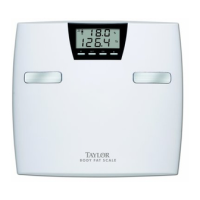
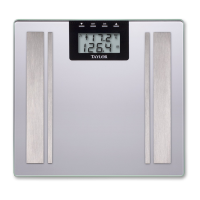
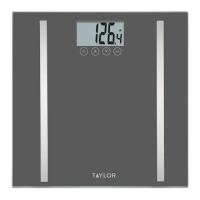
This document describes the TAYLOR MODEL # 5721F Body Composition Scale, a device designed to measure various body composition metrics.

Function Description:

The Taylor 5721F is a body composition scale that provides measurements beyond just weight. It is capable of estimating body weight, body fat percentage, total body water percentage, and Body Mass Index (BMI). The scale utilizes bioelectrical impedance analysis (BIA) to perform these measurements, which requires the user to stand on the scale with bare feet. It also features user profile memory, allowing up to eight different users to store their personal data and track their measurements over time. The scale can operate in both normal and athlete modes, which likely adjusts the calculation algorithms for different body types and activity levels.
Important Technical Specifications:

  • Model Number: 5721F
  • Power Source: 2 x CR2032 batteries (included).
  • Measurement Units: Defaults to pounds (LB) for weight, with an option to switch to other units (details in the full instruction manual).
  • User Memory: Stores profiles for up to 8 users.
  • Measurement Parameters: Body weight, body fat percentage, total body water percentage, and BMI.
  • Operating Conditions: Requires a flat and hard floor surface; not suitable for use on carpets.
  • Display: Digital display for measurements and user settings.

Usage Features:

  • Preparation:
    • Battery Installation: Requires 2 CR2032 batteries.
    • Placement: Must be placed on a flat, hard floor surface for accurate readings. Avoid carpets.
    • Start-up: Press firmly on the scale platform once to turn it on. The display will show "0.0" and then turn off, indicating it's ready.
  • User Profile Setup (Steps 1-6):
    1. Turn On: Press the "SET" button to activate the scale.
    2. Set Memory Location: Use the "UP" or "DOWN" arrow keys to select a memory location (1-8 users), then press "SET" to confirm.
    3. Select Height: Use the "UP" or "DOWN" arrow keys to adjust the height, then press "SET" to confirm.
    4. Set Age: Use the "UP" or "DOWN" arrow keys to adjust the age, then press "SET" to confirm.
    5. Select Gender: Use the "UP" or "DOWN" arrow keys to toggle between male (♂) and female (♀) icons, then press "SET" to confirm.
    6. Select Mode: Use the "UP" or "DOWN" arrow keys to toggle between "Normal (N)" or "Athlete (A)" mode, then press "SET" to confirm all settings.
  • Measuring (Step 7):
    1. After setting up the profile, the scale will display "0.0".
    2. Step onto the scale with bare feet, ensuring they are positioned evenly on the scale platform with maximum contact with the metal electrodes.
    3. Stand still while the scale measures your weight.
    4. The scale will sequentially display your weight, body fat percentage, total body water percentage, and BMI twice.
    5. The scale automatically turns off after measurements are displayed.
  • Important Measurement Conditions:
    • Users must have bare feet for accurate body composition estimations.
    • Shoes and socks must be removed.
    • Clean, slightly moist feet are recommended for the best results.
  • Memory Recall and Recognition:
    • Once personal data is programmed, the scale can recognize the user by their weight when they step on it, provided the correct user memory is selected.
    • To initiate a measurement after setup, press the "SET" button to turn on the scale, then use the "UP" or "DOWN" arrow keys to select the correct user memory. The screen will then display the stored height, age, gender, and athlete/normal mode before showing "0.0" for measurement.

Maintenance Features:

  • Reprogramming Data: Only reprogram personal data (age, height, or weight) if there has been a significant change (e.g., +/- 6.6 lbs / 3 kgs). This suggests that minor fluctuations do not necessitate reprogramming.
  • Battery Replacement: The scale uses 2 CR2032 batteries. While not explicitly detailed in this quick guide, regular battery replacement will be necessary to maintain functionality.
  • Cleaning: Although not explicitly stated, as with most scales, it is generally recommended to keep the scale platform clean and dry to ensure proper contact with the electrodes and accurate readings. The mention of "clean, slightly moist feet" implies the surface itself should be free of dirt or debris that could interfere with conductivity.

Taylor 5721F Specifications

General IconGeneral
BrandTaylor
Model5721F
CategoryScales
LanguageEnglish

Related product manuals