
 Need help?
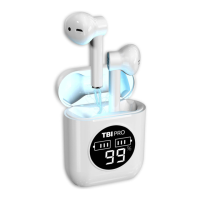
Do you have a question about the TBI Pro AirPro and is the answer not in the manual?
Handle with care, avoid extreme temperatures, high-frequency devices, and maintain connection range.
Use 5V adapter and supplied cable. Connect to PC or adapter.
Place earbuds in case; indicator shows status. Auto-off when fully charged.
Auto-on when opening case, or manual power-on via long press.
Turn on earbuds, search on device, select 'AirPro V5' for connection.
Place in case to auto-off, or long press earbud for 6 seconds.
One earbud connects to device; slave auto-switches to master if primary drains.
Short press to answer/end calls. Long press to switch between earbuds and phone.
Long press for 2 seconds to switch call audio between earbuds and phone.
Long press earbud to activate/close Siri (iOS only).
Short press to play/pause, double press left for previous, right for next song. Auto play after calls.
Check charge, power, other devices, Bluetooth status, and distance (<10m).
Long press earbuds for 5-10s until flashing, then power off and re-pair.
 General
| Frequency Response | 20Hz - 20kHz |
|---|---|
| Bluetooth Version | 5.0 |
| Water Resistance | IPX5 |
| Battery Life (earbuds) | Up to 6 hours |
| Charging Time (earbuds) | 1.5 hours |
| Charging Time (charging case) | 2 hours |
| Charging Port | USB-C |

 To Next Page