Configuration controls
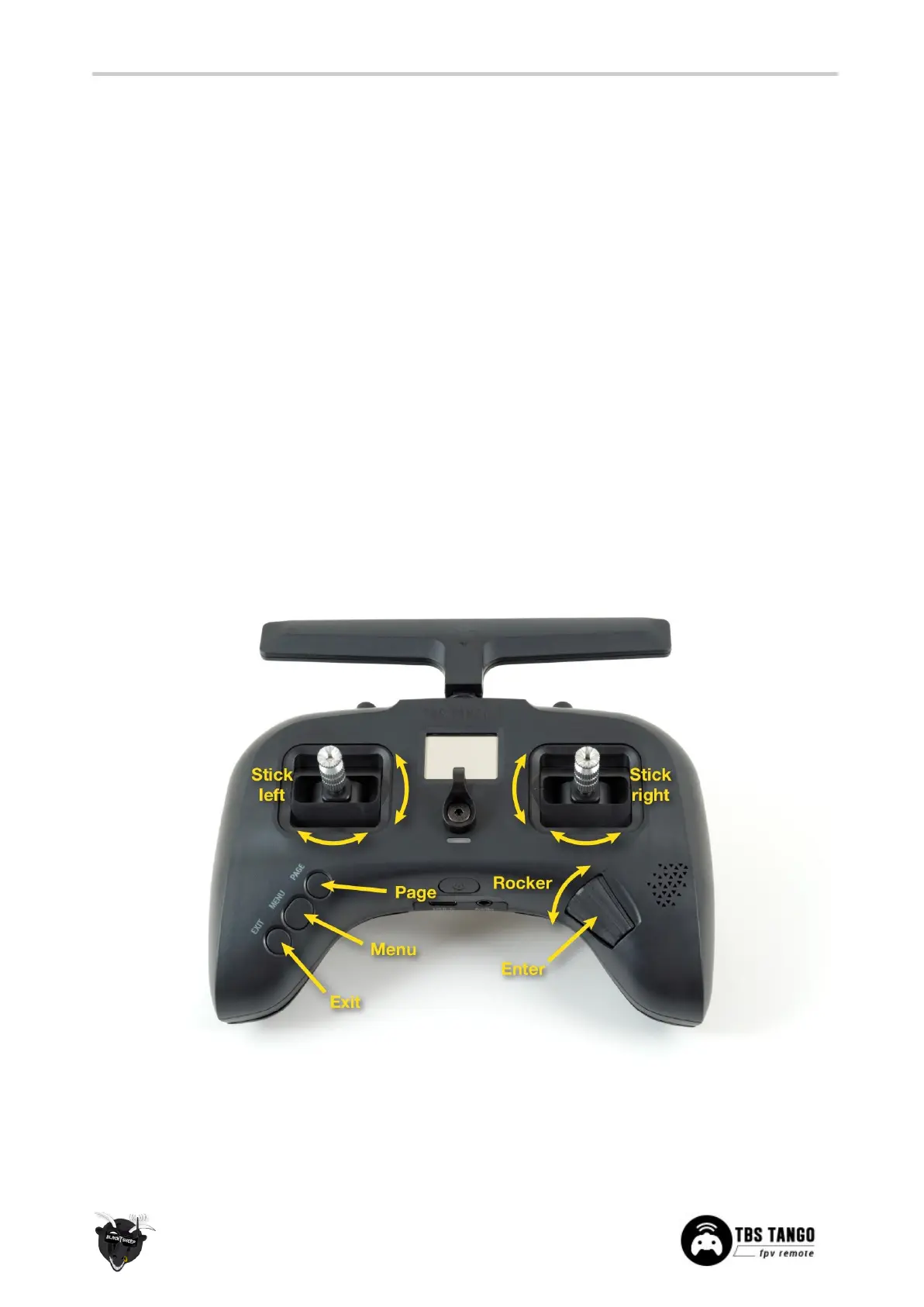
To navigate and configure the radio, the left-side buttons and right-side selector wheel are used. These are
the control inputs for the configuration menu system:
● Menu
○ Quick-press enters the model setup. First page is the TBS CROSSFIRE configuration (LUA)
○ Long-press enters the radio configuration
● Page
○ Quick-press skips through the different configuration views
○ Long-press enters the telemetry view
● Exit
○ Go backwards or exit the configuration menus
● Enter
○ Single-press engages a configuration menu item
○ Double-press enters stick trim menu
● Rocker
○ Scroll through the available menu items or setting options


 To Next Page