EasyManua.ls Logo

tbs electronics PowerCube - User Manual

tbs electronics PowerCube
41 pages
Print Icon
To Next Page IconTo Next Page
Loading...
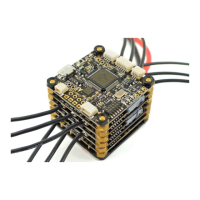
TBS POWERCUBE - Multirotor Stack patented!
All-in-one racing flight control, speed control and power distribution
Revision 2017-03-09
The next generation plug&play RACE system. Design optimized for ultimate performance and reliability.
Compatible with any multi-rotor frame.
Key features
Ultra-lightweight and high-performance multi-rotor stack
Designed to be bundled and sold with any 120 to 330mm size frame
Stacked boards for extreme durability
Based on fast STM32F3 flight controller
Innovative patent-pending wire-free power distribution through stand-offs
True plug & play, no soldering required
Cost-efficient and field-repairable
Tested, developed and flown by the world’s leading pilots
Highest quality aluminum screws, brass standoffs and electronic components
Standard 36x36mm dimension, 70g incl. PDB, wires & connectors
Upgradable from compact to extreme configurations
1

Questions and Answers

Summary

Specifications

Attention

Installation

The first flight

Offers critical advice for the initial flight, focusing on gyro initialization, model stability, and orientation checks.

TBS COLIBRI V2 - Flight control

Configuration and tuning

Default Values

Specifies ideal parameter values for COLIBRI with BULLETPROOF 20A ESCs, including mixer, board alignment, receiver mode, and battery voltage settings.

Driver installation

Provides instructions for installing the STM32 VCP driver, essential for connecting the flight controller via USB.

Updating firmware using TBS Agent (recommended)

Details the recommended process for updating the COLIBRI RACE firmware using the TBS Agent software.

Updating firmware using CleanFlight

Explains how to update the COLIBRI RACE firmware using the CleanFlight Configurator, including online and local firmware loading.

Upgrade via DFU (developer use)

Outlines the manual procedure for updating firmware using the DFuSE tool from STMicroelectronics.

TBS BULLETPROOF 25 A ESC - Speed control

Firmware upgrades

Guides on upgrading ESC firmware using the BLHeli Tool, covering chipset interfaces and passthrough methods.

TBS POWERCUBE PDB V2 - Power distribution

Troubleshooting FPV Transmitter; Camera

Connectivity with TBS CORE PRO OSD

RC Calibration (mandatory)

Details the mandatory R/C calibration process required for the CORE PRO and flight controller to recognize remote control inputs.

Maintenance

Troubleshooting

Covers troubleshooting common issues like carbon burn, identifying electrical shorts, and motor screw length.

Good practices

tbs electronics PowerCube Specifications

General IconGeneral
Brandtbs electronics
ModelPowerCube
CategoryRemote Control
LanguageEnglish

Related product manuals