www.tbsiptv.com
10 / 19
2. Linux driver:
https://github.com/tbsdtv/linux_media/wiki
Build errors and rebuild:
We have listed these frequently seen errors and the corresponding solutions:
https://github.com/tbsdtv/linux_media/wiki/Prerequisites,-Build-errors-and-Rebuilding
build finished, requires to reboot Server to load the driver.
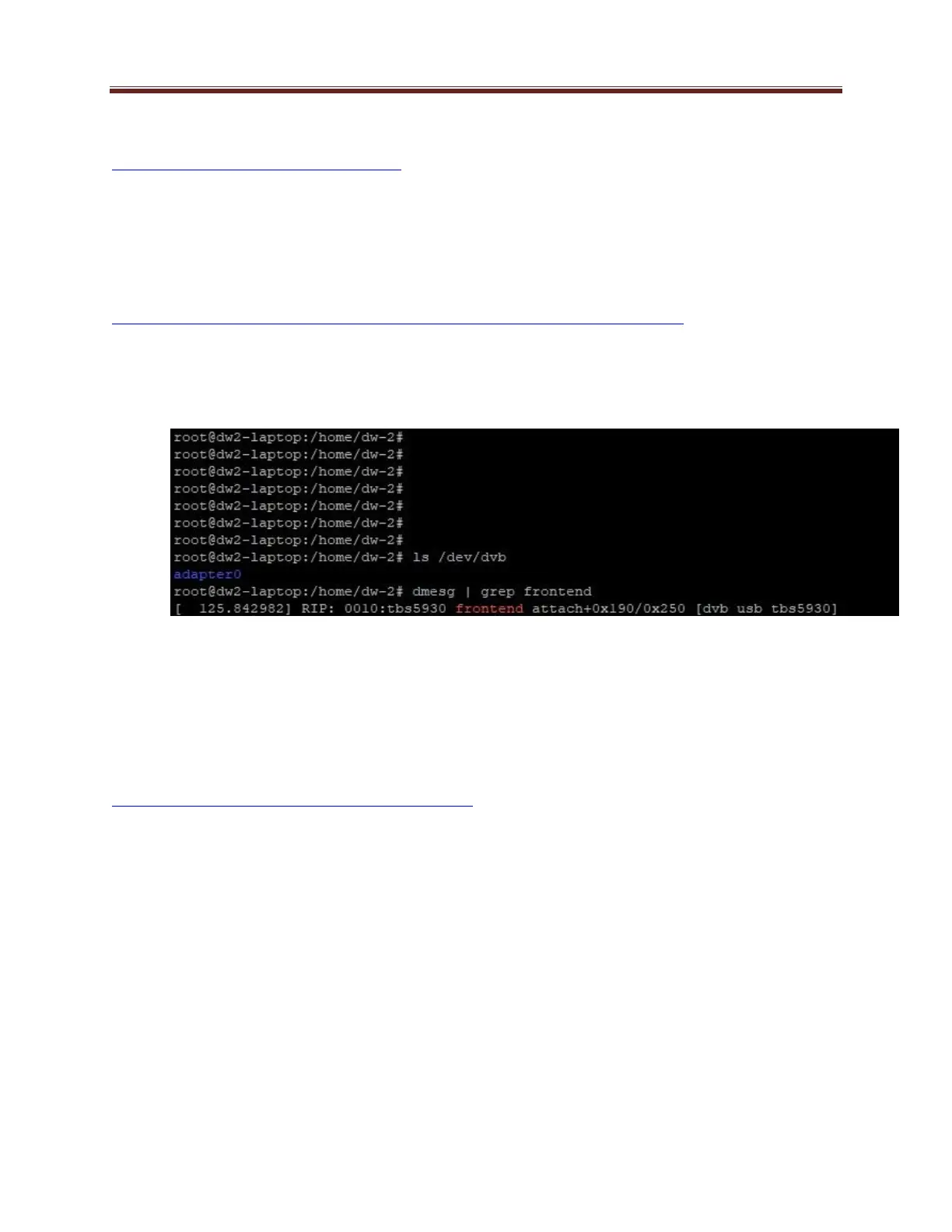
3. If Linux driver is installed successfully, you’ll see tuner device under “/dev/dvb”
# ls /dev/dvb
4. Install streaming software, tune channels and do streaming: DVBlast, Astra cesbo, Theadend and ect.
DVBlast
Install:
https://github.com/gfto/dvblast/blob/master/README
# sudo apt install dvblast (Ubuntu)
# su yum install dvblast (centOS)
Configure:
1. DVBlast is command line control
2. Command to tune channels
# dvblast –f 12538000 –s 41250000 –v 13 –a 0
# dvblast –f 12660000 –s 45000000 –v 18 –m psk_8 –a 0
-f: frequency
-s: symbol rate



 To Next Page